> For the complete documentation index, see [llms.txt](https://doc.wearepatchworks.com/product-documentation/llms.txt). Markdown versions of documentation pages are available by appending `.md` to page URLs; this page is available as [Markdown](https://doc.wearepatchworks.com/product-documentation/blueprints/working-with-private-blueprints/about-blueprint-versions.md).
# About blueprint versions
## Introduction
Versioning is important at different stages in the lifecycle of a private blueprint. This page summarises key details to keep in mind as you build and manage your blueprints in the Patchworks marketplace.
## Version 1
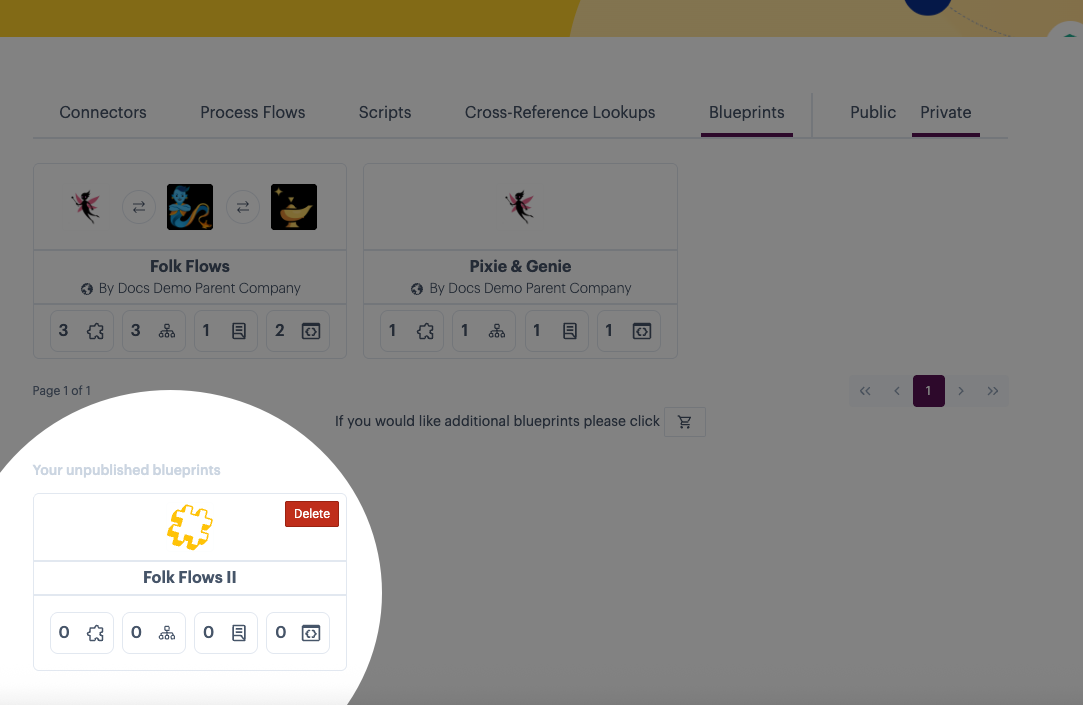
When a new blueprint is built, a `draft` version is created as soon as general details (name, labels, etc.) are saved. If you exit from the manifest without publishing, you'll find this draft in the unpublished blueprints section of your private marketplace. For example:
{% hint style="info" %}
In a `draft` state, component counts on blueprint tiles will always be 0.
{% endhint %}
When you publish this version, it becomes `version 1`. By default, this becomes the [active](#the-active-version) version. For more information, please refer to [Building a private blueprint](/product-documentation/blueprints/working-with-private-blueprints/building-a-private-blueprint.md).
## The active version
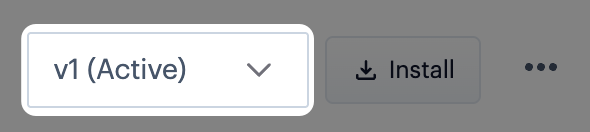
The `active` version of a blueprint is the version to be used whenever someone chooses to [install this blueprint from your private marketplace](/product-documentation/blueprints/working-with-private-blueprints/installing-a-private-blueprint.md). When a blueprint is created, the initial version becomes `active` by default. For example:
When [multiple versions](#version-2-onwards) are available, you can [choose which version is active](/product-documentation/blueprints/working-with-private-blueprints/changing-the-active-version-for-a-private-blueprint.md). Only one version can be active at any time.
## Version 2 onwards
To update an existing blueprint, you start by `opening a new draft`. Having made your updates and published this draft, a new version is created with an incremented version number.
## Is there a limit on the number of versions that can be published?
Yes. The maximum number of versions for any blueprint is 10. If you reach this limit and attempt to publish another version, you are prompted to confirm that the oldest version can be removed. For example:

If you would prefer to remove a different version to make way for the one, select `cancel` and then [delete the required version](/product-documentation/blueprints/working-with-private-blueprints/deleting-a-blueprint-version.md) before trying the `publish` operation again.
## What if the oldest version is also the active version?
If the oldest version is also the `active` version, it can't be deleted automatically. In this case, you'll see an error message when attempting to publish a new version - for example:

You will need to [change the active version](/product-documentation/blueprints/working-with-private-blueprints/changing-the-active-version-for-a-private-blueprint.md) before trying the `publish` operation again.
## Are version numbers affected by deleting blueprint versions?
No. When a blueprint version is deleted, the associated version number is never reused, and any remaining version numbers are unchanged.