> For the complete documentation index, see [llms.txt](https://doc.wearepatchworks.com/product-documentation/llms.txt). Markdown versions of documentation pages are available by appending `.md` to page URLs; this page is available as [Markdown](https://doc.wearepatchworks.com/product-documentation/patchworks-services/service-systems/supported-service-systems/inventory-planner-service-connector/finding-service-connector-credentials-for-inventory-planner.md).
# Finding service connector credentials for Inventory Planner
## Required credentials
To [add a Patchworks connector](/product-documentation/patchworks-services/service-connectors/adding-a-service-connector.md) for **Inventory Planner**, the following details are required for authentication:
Credential
Required
Note
Account ID
true
Generated via Inventory Planner API settings
API Key
true
Generated via Inventory Planner API settings
## Obtaining credentials
To obtain the credentials listed above, follow the steps below:
**Step 1**\
Log in to [Inventory Planner](https://app.inventory-planner.com/#/signin).
**Step 2**\
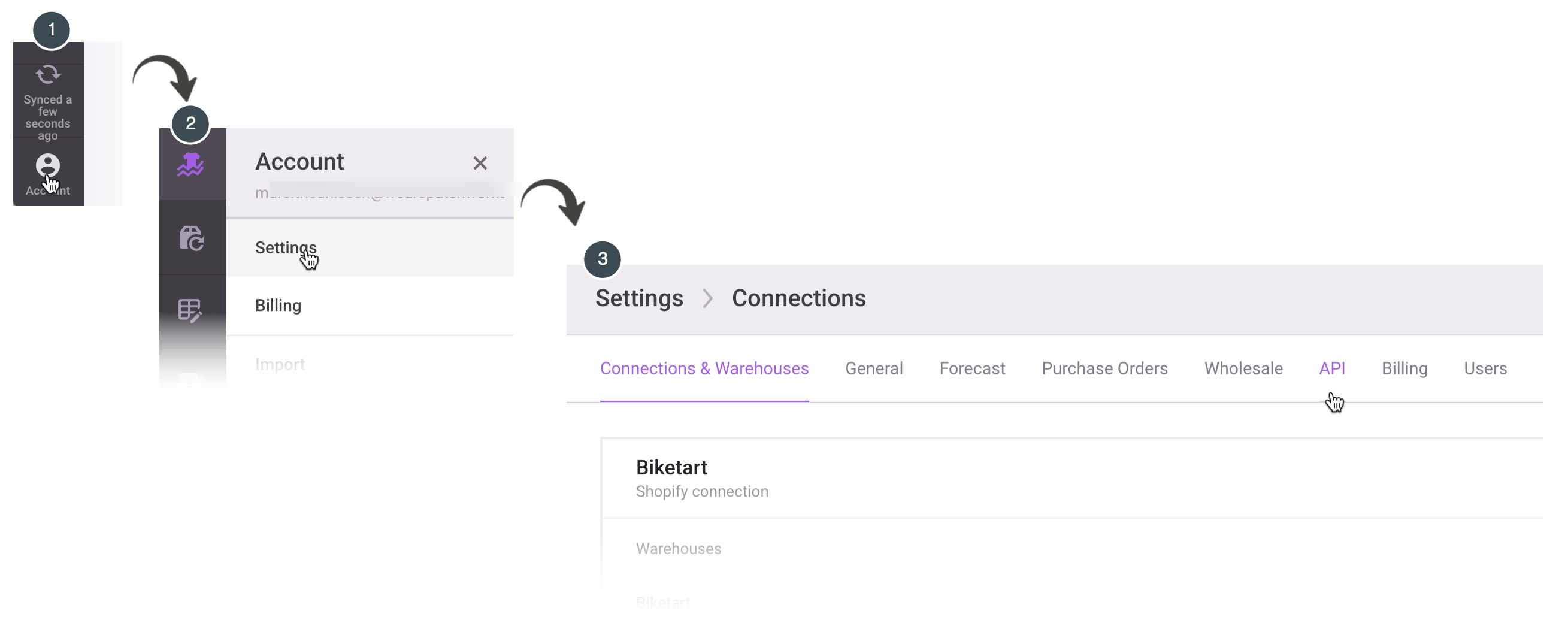
Navigate to **account** | **settings** | **API**:
**Step 3**\
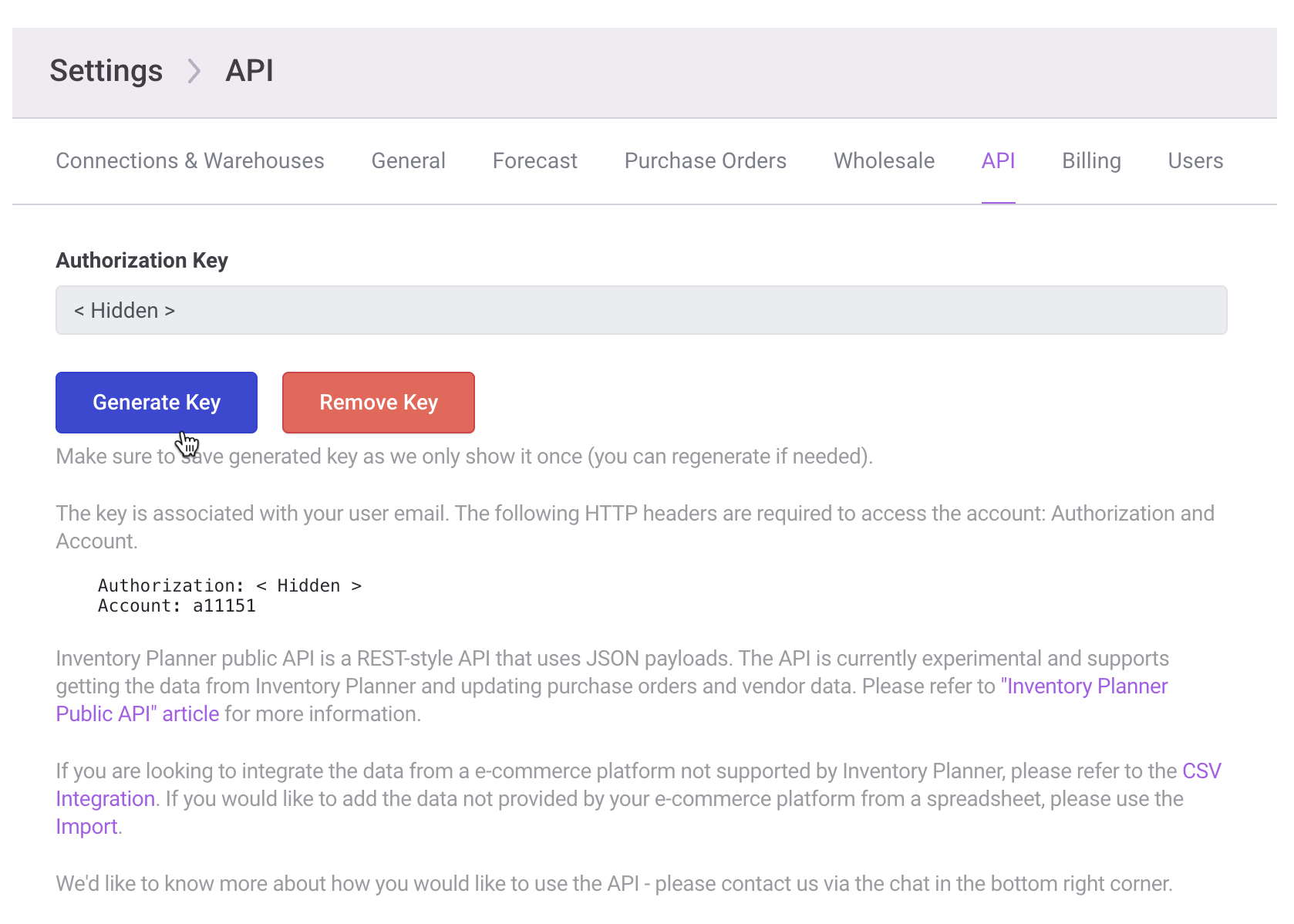
Click the **generate key** button:
**Step 4**\
Add the given **API key** and **account ID** values to your password manager, ready for use in Patchworks setup.