> For the complete documentation index, see [llms.txt](https://doc.wearepatchworks.com/product-documentation/llms.txt). Markdown versions of documentation pages are available by appending `.md` to page URLs; this page is available as [Markdown](https://doc.wearepatchworks.com/product-documentation/patchworks-services/working-with-services/the-anatomy-of-a-service/run-service.md).
# Run service
## Introduction
Typically, services are configured to run automatically using trigger options. However, there may be times when you wish to run a service manually, outside of any scheduled settings - for example, when resolving a [sync query](/product-documentation/patchworks-services/reporting-and-logging/service-sync-reports.md).
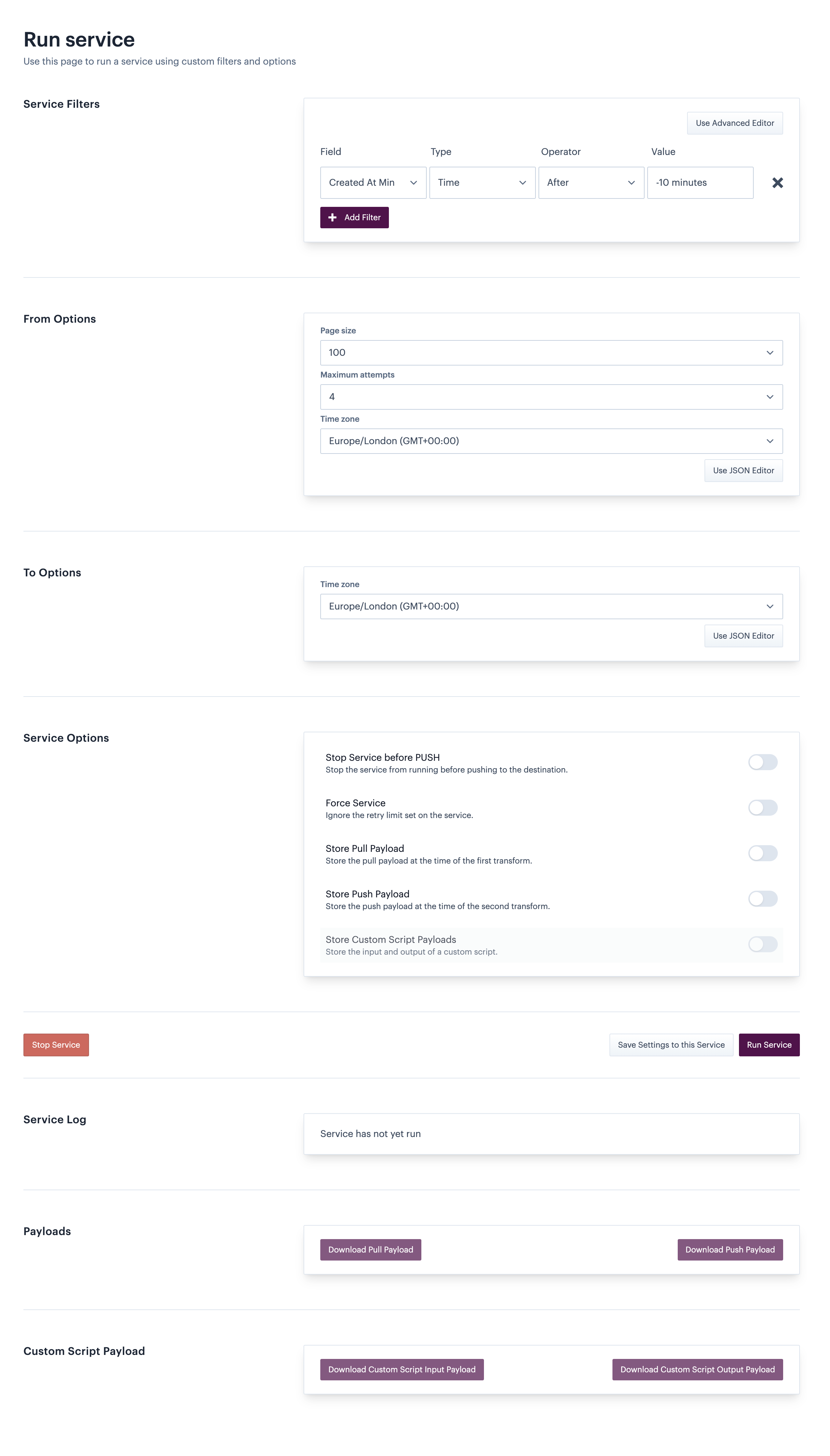
The **run service** tab allows you to run an active service immediately, using a range of settings which only apply to that particular run:
{% hint style="info" %}
Options on the **run service** tab are only available for active services.
{% endhint %}
## Demo
{% embed url="" %}
## Working with the run service tab
For detailed information please see our [how to run a service manually](/product-documentation/patchworks-services/troubleshooting/how-to-run-a-service-manually.md) page.