> For the complete documentation index, see [llms.txt](https://doc.wearepatchworks.com/product-documentation/llms.txt). Markdown versions of documentation pages are available by appending `.md` to page URLs; this page is available as [Markdown](https://doc.wearepatchworks.com/product-documentation/virtual-environments/managing-virtual-environments-versions-and-flows/managing-virtual-environment-flow-deployments/updating-the-queue-priority-for-an-existing-flow-deployment.md).
# Updating the queue priority for an existing flow deployment
## Introduction
Whilst you can't edit the flow version associated with an existing deployment (you'd need to deploy the required version as a new deployment instead), you *can* edit an existing deployment to update the queue priority.
## Need to know
When a new queue priority is applied for a deployment, [standard precedence rules](/product-documentation/virtual-environments/implementing-virtual-environments/deploying-a-single-process-flow-to-a-virtual-environment/understanding-queue-priority-in-virtual-environments.md) apply -i.e. the priority set here takes precedence over any priority defined in [process flow settings](/product-documentation/process-flows/building-process-flows/process-flow-settings.md), but if a queue priority is defined as a virtual environment override, that takes overall precedence.
## The steps
To edit an existing process flow deployment, follow the steps below.
{% stepper %}
{% step %}
**Access version details for the required process flow**
Open [settings](/product-documentation/process-flows/building-process-flows/process-flow-settings.md) for the required process flow and scroll down to the `versions` panel.
{% hint style="info" %}
For detailed instructions, please refer to [Accessing process flow versions](/product-documentation/process-flows/building-process-flows/process-flow-versioning/accessing-process-flow-versions.md).
{% endhint %}
{% endstep %}
{% step %}
**Access deployment details**
Click the `view deployments` button:
The `deploy flow` modal opens, showing deployment options in the upper panel and existing deployments for this flow in the lower panel - for example:
{% hint style="info" %}
If you don't use [virtual environments](/product-documentation/virtual-environments/about-virtual-environments.md), you will only ever see a single deployment here, but if you do use virtual environments, there are likely to be multiple deployments.
{% endhint %}
{% endstep %}
{% step %}
**Access deployment options**
Click the ellipsis icon associated with the deployment that you want to update - for example:
{% endstep %}
{% step %}
**Edit the deployment**
Select the `edit` option. For example:
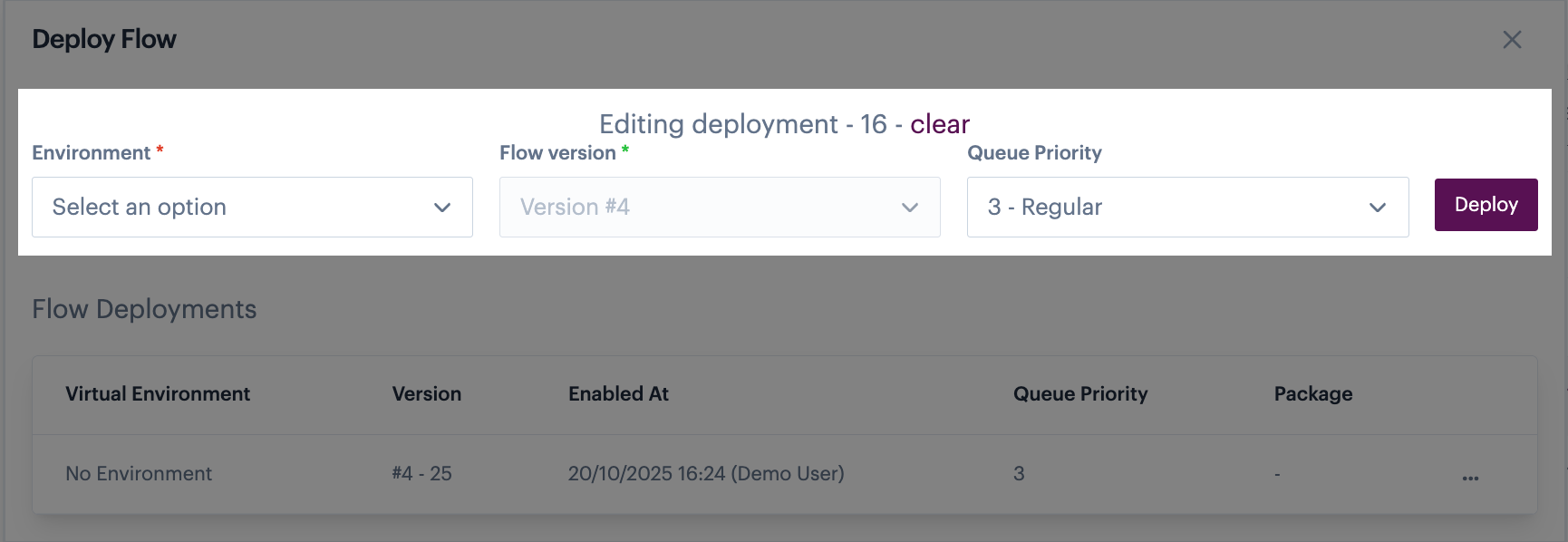
The version number associated with the selected flow deployment is loaded into the upper panel and can't be changed, but you can update the `environment` and `queue priority` fields - for example:
{% endstep %}
{% step %}
**Update deployment settings**
If you don't use [virtual environments](/product-documentation/virtual-environments/about-virtual-environments.md), you will only ever see `no environment` here - select this, then update the `queue priority` as needed.
If you do use [virtual environments](/product-documentation/virtual-environments/about-virtual-environments.md), all of your active environments are listed - select the required environment, then update the `queue priority` as needed. In this case, you might be deploying to the selected environment for the first time, or updating the queue priority for an existing deployment.
{% endstep %}
{% endstepper %}