# The anatomy of a package

## Introduction

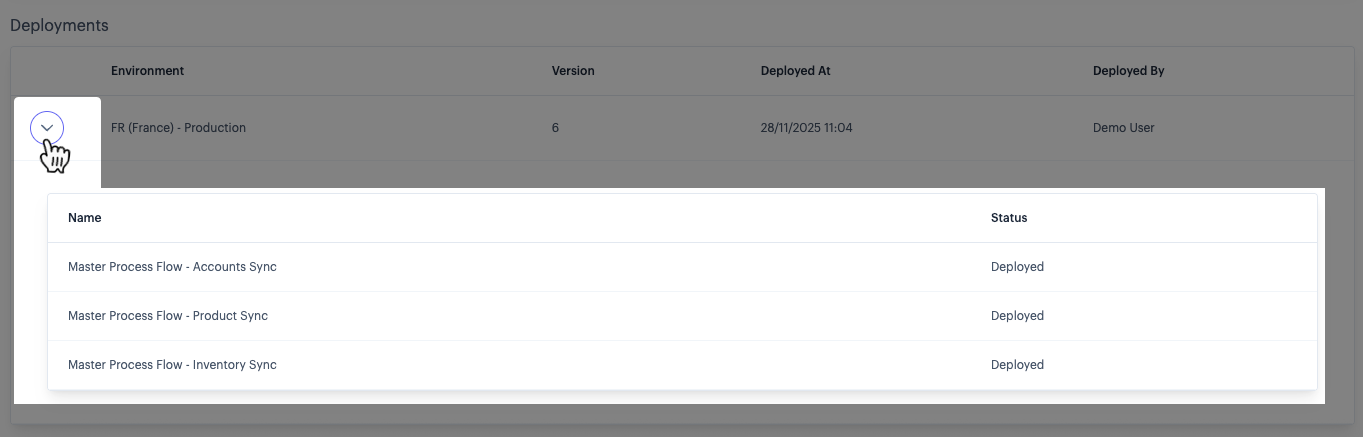
Having created a new package or selected an existing package, package details are displayed - for example:

<figure><img src="https://2440044887-files.gitbook.io/~/files/v0/b/gitbook-x-prod.appspot.com/o/spaces%2FLYNcUBVQwSkOMG6KjZfz%2Fuploads%2FLbnChELbFMyFdEN268LO%2Fanatomy%20of%20a%20package%20a.png?alt=media&#x26;token=4f7e301f-e447-412c-a6da-ba7dae547fe5" alt=""><figcaption></figcaption></figure>

Here, information is displayed in two panels:

* [Flows](#the-flows-panel)
* [Deployments](#the-deployments-panel)

## The flows panel

The `flows` panel displays all process flows in the package. The following details are shown for each process flow:

<table><thead><tr><th width="162.9296875">Panel</th><th>Summary</th></tr></thead><tbody><tr><td>Name</td><td>The name of the process flow.</td></tr><tr><td>Version</td><td>The process flow version number that was <a href="../creating-a-package">added to the package</a>.</td></tr><tr><td>Queue priority</td><td>The queue priority that was selected when the process flow was <a href="../creating-a-package">added to the package</a>.</td></tr><tr><td>Remove</td><td>If the package has never been deployed, you have the option to remove an existing flow. This option is not displayed for a package that has been deployed.</td></tr></tbody></table>

## The deployments panel

The `deployments` panel displays all virtual environments where this package is deployed. The following details are shown for each virtual environment:

<table><thead><tr><th width="162.9296875">Panel</th><th>Summary</th></tr></thead><tbody><tr><td>Environment</td><td>The name of the virtual environment.</td></tr><tr><td>Version</td><td>The virtual environment configuration version used for this deployment. If a <a href="../../implementing-virtual-environments/deploying-the-configuration-for-a-virtual-environment">deployed configuration</a> exists for the selected virtual environment, this will be used when a package is deployed. Otherwise, the current <code>draft</code> configuration is used. </td></tr><tr><td>Deployed at</td><td>The date and time when the package is deployed. </td></tr><tr><td>Deployed by</td><td>The name of the person who deployed the package (as per <a href="../../../users-roles-and-permissions/managing-your-own-user-account">account settings</a>).</td></tr></tbody></table>

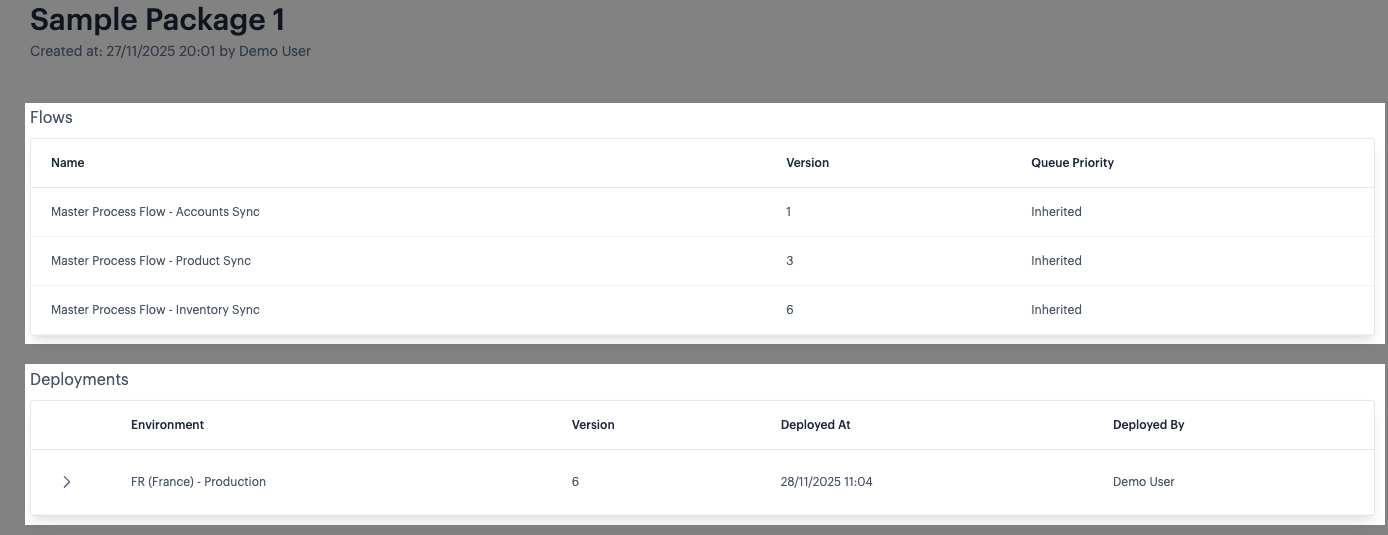
Each entry has an associated 'expand' option - for example:

<div align="left"><figure><img src="https://2440044887-files.gitbook.io/~/files/v0/b/gitbook-x-prod.appspot.com/o/spaces%2FLYNcUBVQwSkOMG6KjZfz%2Fuploads%2FO730hDbofjtRjj4Dnrpq%2Fanatomy%20of%20a%20package%20b.png?alt=media&#x26;token=ec3fd2a6-e49e-49ca-8d4d-53a6ba852952" alt=""><figcaption></figcaption></figure></div>

Use this to view the current status of the associated flows in the virtual environment.

When a package is deployed, all associated flows are enabled in the selected virtual environment. Subsequently, you may choose to [disable](https://doc.wearepatchworks.com/product-documentation/virtual-environments/managing-virtual-environments-versions-and-flows/managing-virtual-environment-flow-deployments/disabling-or-enabling-a-process-flow-deployment-for-a-virtual-environment) or [delete](https://doc.wearepatchworks.com/product-documentation/virtual-environments/managing-virtual-environments-versions-and-flows/managing-virtual-environment-flow-deployments/deleting-a-process-flow-deployment-from-a-virtual-environment) flow deployments in that environment; in this case the status shown here is updated.