> For the complete documentation index, see [llms.txt](https://doc.wearepatchworks.com/product-documentation/llms.txt). Markdown versions of documentation pages are available by appending `.md` to page URLs; this page is available as [Markdown](https://doc.wearepatchworks.com/product-documentation/users-roles-and-permissions/restoring-a-deleted-user-account.md).
# Restoring a deleted user account
## Introduction
If you are a user with an [administrator or manager role](/product-documentation/users-roles-and-permissions/roles-and-permissions-summary.md), you can choose to restore a deleted user account associated with your company profile.
## Need to know
* When a deleted user account is restored, the original email address is reinstated
* The password last associated with the deleted account is not reinstated - you can trigger a password reset for this account, or the user can trigger their own reset.
## The steps
{% stepper %}
{% step %}
**Access** **the required user**
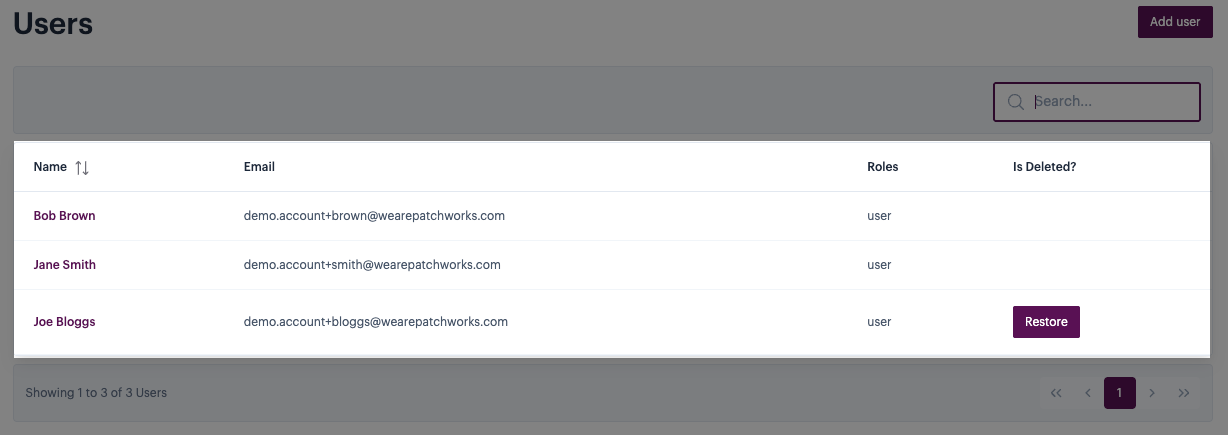
[Access the user list for your company profile](/product-documentation/users-roles-and-permissions/viewing-all-users-for-your-company-profile.md), then click the name of the user you want to restore. For example:
{% endstep %}
{% step %}
**Restore the user**
Click the `restore` button associated with the required account. For example:
When prompted, confirm that you want to proceed. For example:
{% endstep %}
{% step %}
**Trigger a password reset (optional)**
The account is restored but remains inactive until the user sets a password. You can [trigger a password reset](/product-documentation/users-roles-and-permissions/triggering-a-password-reset-for-another-user.md) by accessing profile details for the user and selecting the `reset password` button. For example:
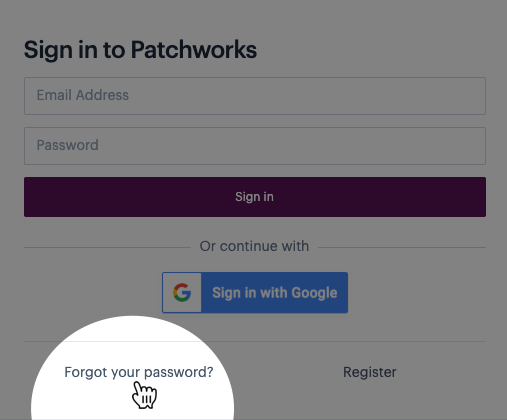
Alternatively, this user can select the `forgot your password?` link from thee dashboard login page: