> For the complete documentation index, see [llms.txt](https://doc.wearepatchworks.com/product-documentation/llms.txt). Markdown versions of documentation pages are available by appending `.md` to page URLs; this page is available as [Markdown](https://doc.wearepatchworks.com/product-documentation/developer-hub/patchworks-mcp/patchworks-product-documentation-mcp-server/integrating-the-patchworks-documentation-mcp-server-with-claude.md).
# Integrating the Patchworks documentation MCP server with Claude
## Introduction
Integrating the Patchworks documentation MCP server with Claude (via your client or Claude Code) is very straightforward. Both approaches are detailed below:
* [Integrating with your Claude client](#integrating-with-your-claude-client)
* [Integrating with Claude Code](#integrating-with-claude-code)
## Need to know
* MCP (Model Context Protocol) servers are a feature that requires a Claude Pro subscription.
* The URL for the Patchworks product documentation MCP server is: `https://doc.wearepatchworks.com/product-documentation/~gitbook/mcp`
## Integrating with your Claude client
{% stepper %}
{% step %}
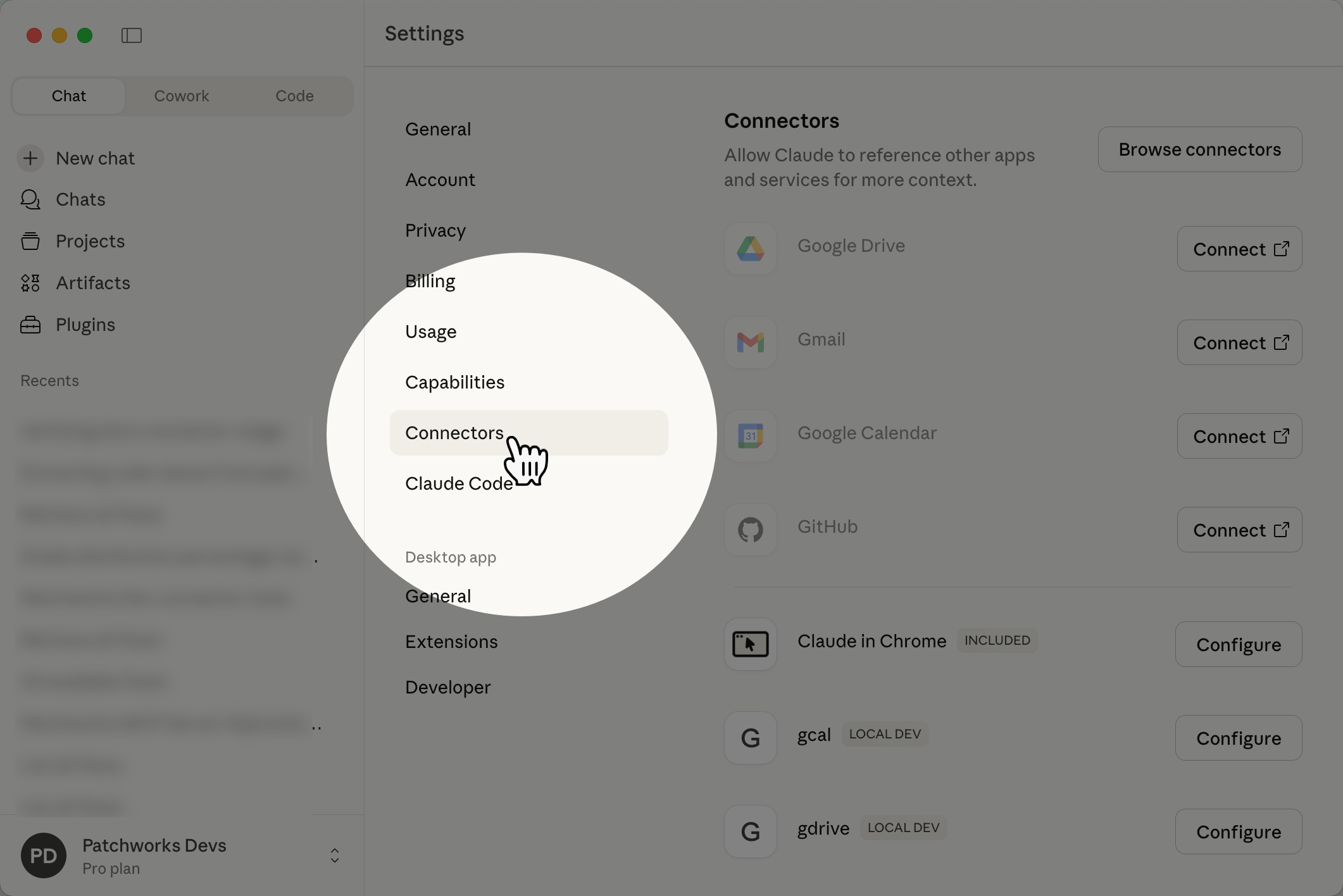
**Access Claude connector settings**
Open your Claude client and navigate to `settings` ➤ `connectors`. For example:
{% endstep %}
{% step %}
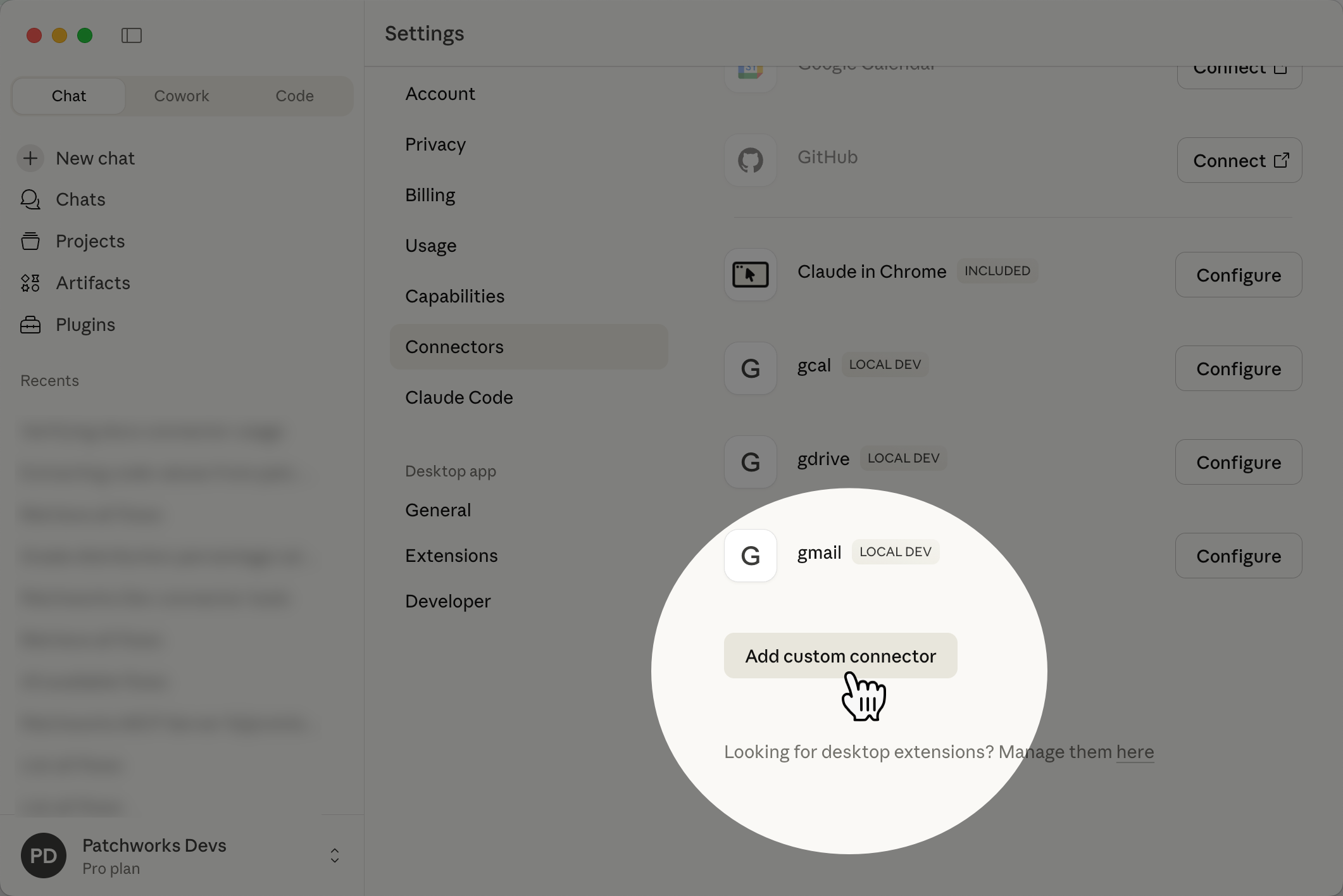
**Add a custom connector**
Select the `add custom connector` button (you may need to scroll down to find it):
{% endstep %}
{% step %}
**Configure your connector**
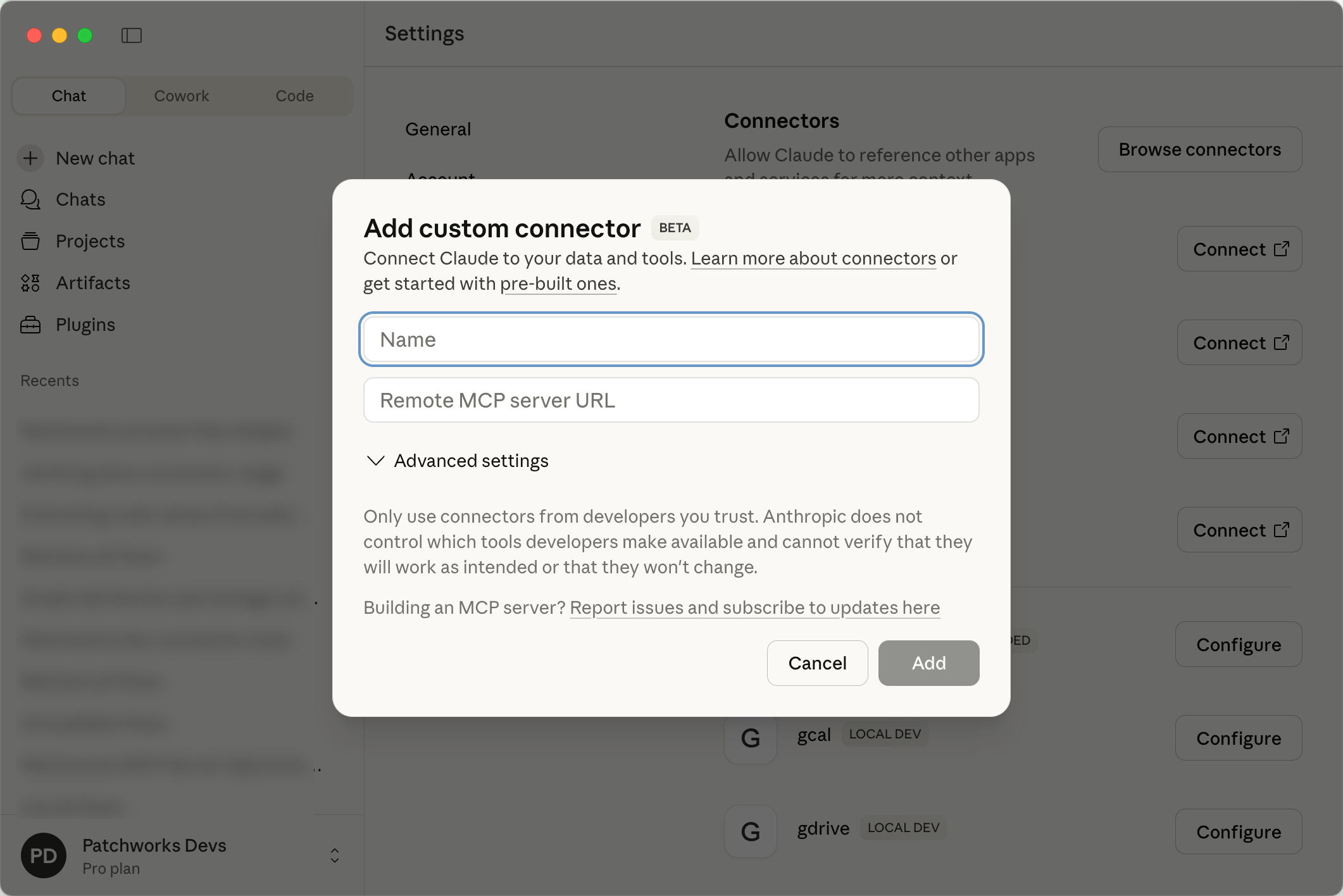
To configure a Claude connector, you must provide a name and a `remote MCP server URL`:
Complete these details using the guidance below.
Field
Summary
Name
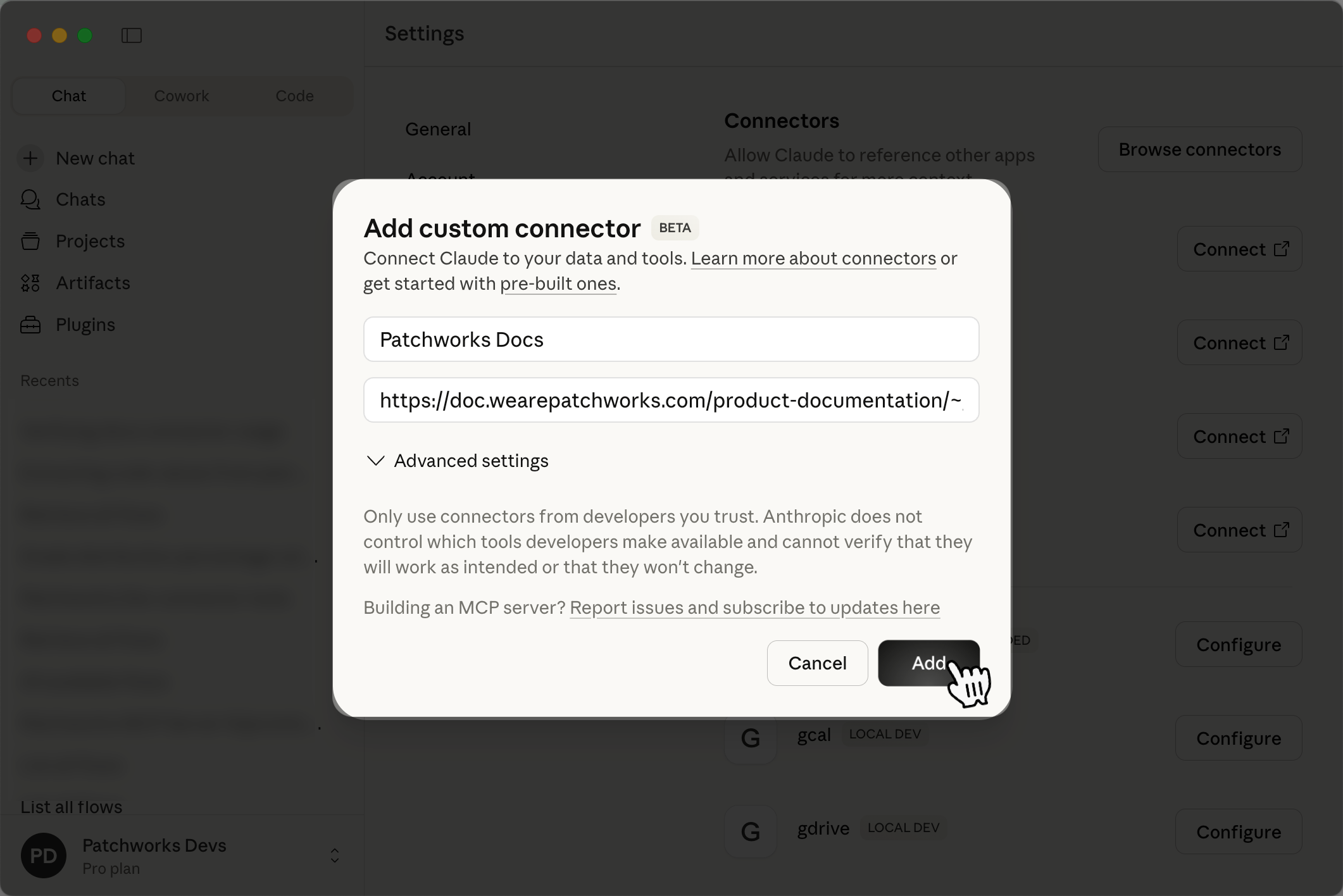
Your preferred name for this connector (for example, Patchworks Docs)
Remote MCP server URL
Always set to: https://doc.wearepatchworks.com/product-documentation/~gitbook/mcp
For example:
Having entered details, click the `add` button to confirm details and add this connector to the list.
{% endstep %}
{% step %}
**Review/update configuration options**
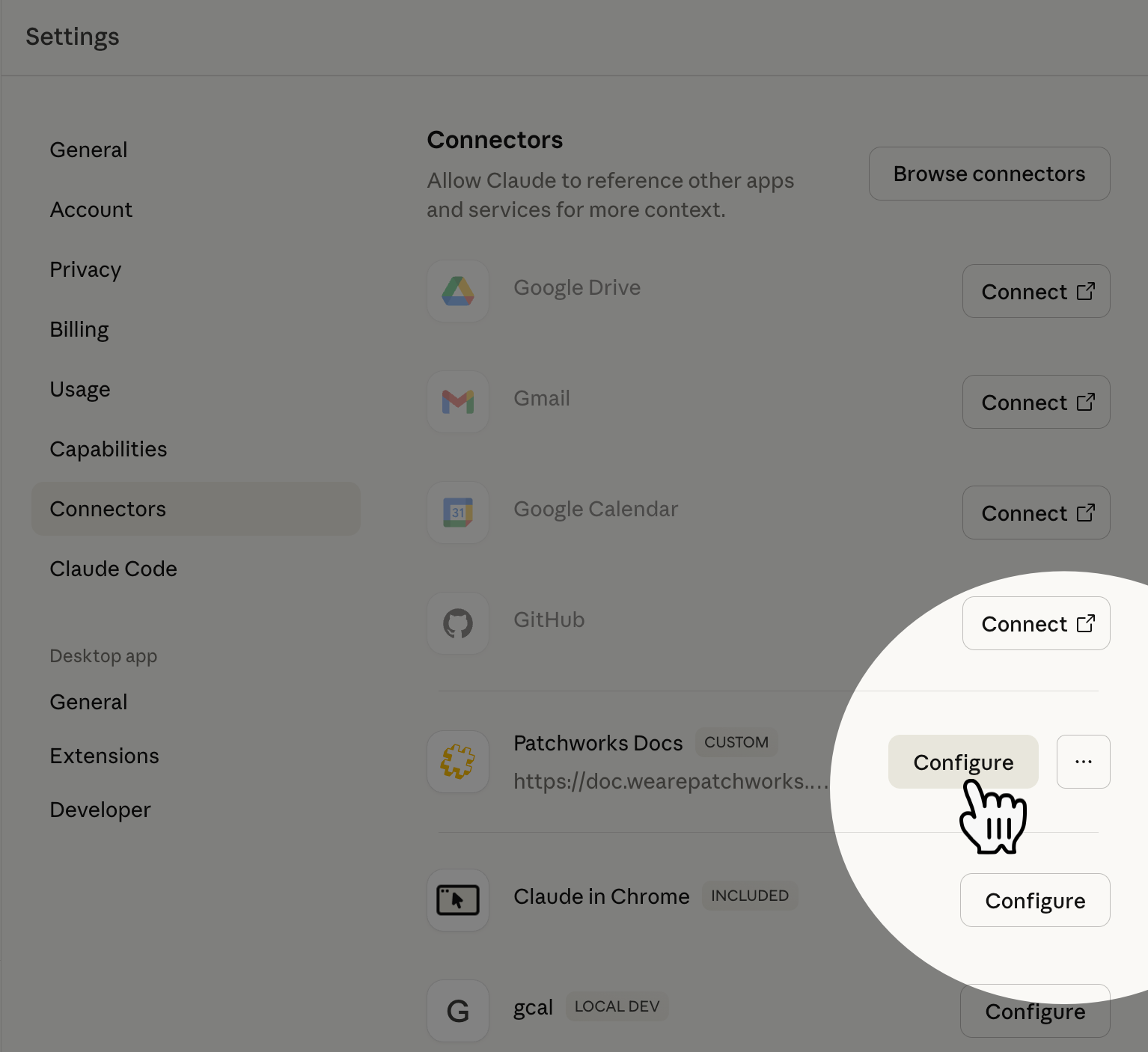
Click the `configure` button associated with your new connector. For example:
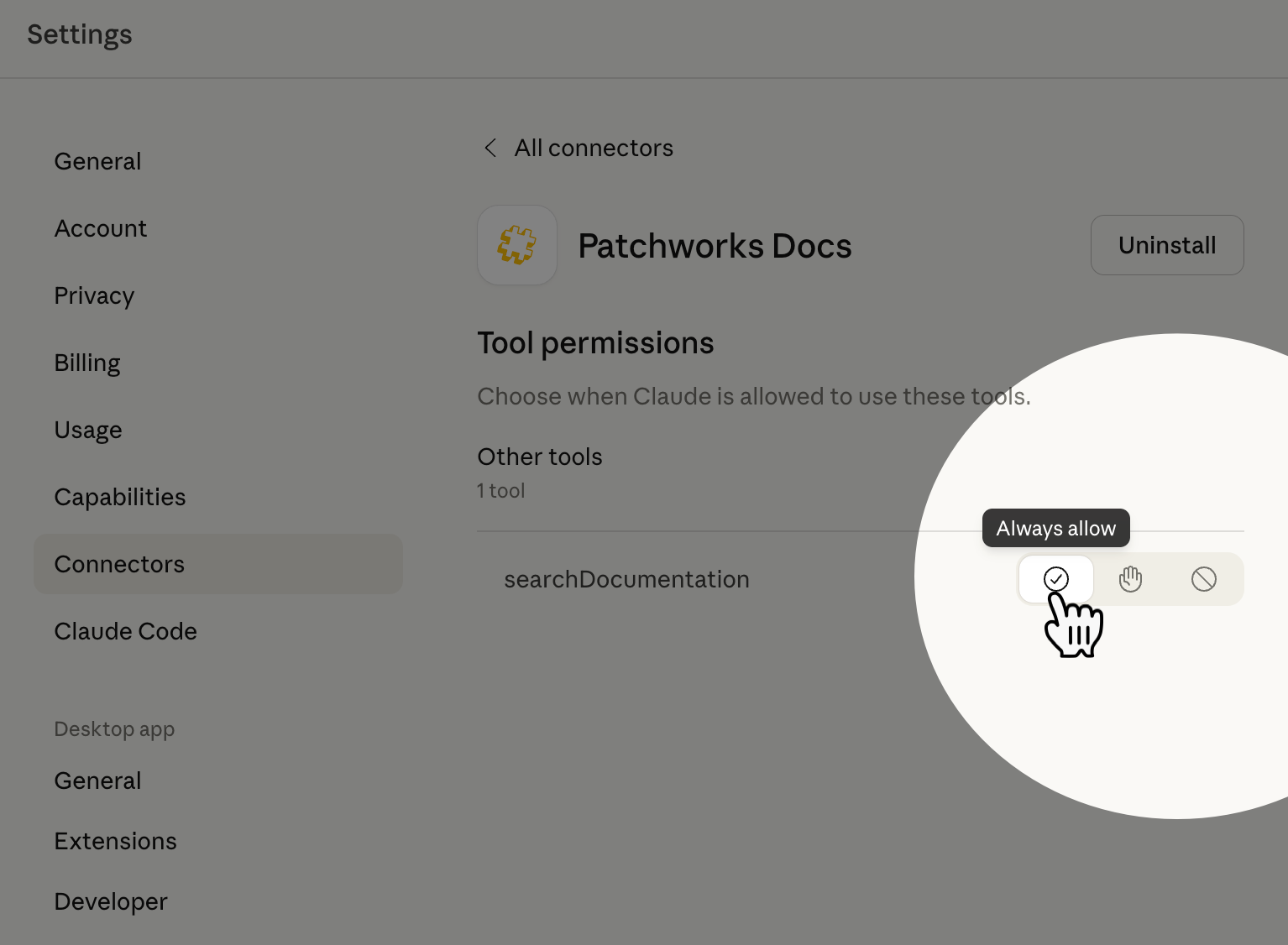
Choose how you want Claude to behave when attempting to use this connector. For example:
{% hint style="info" %}
In our example, the always allow option is selected, so requests will be seamless. If preferreed, you can select an alternative option here.
{% endhint %}
{% endstep %}
{% step %}
**Test the MCP connection**
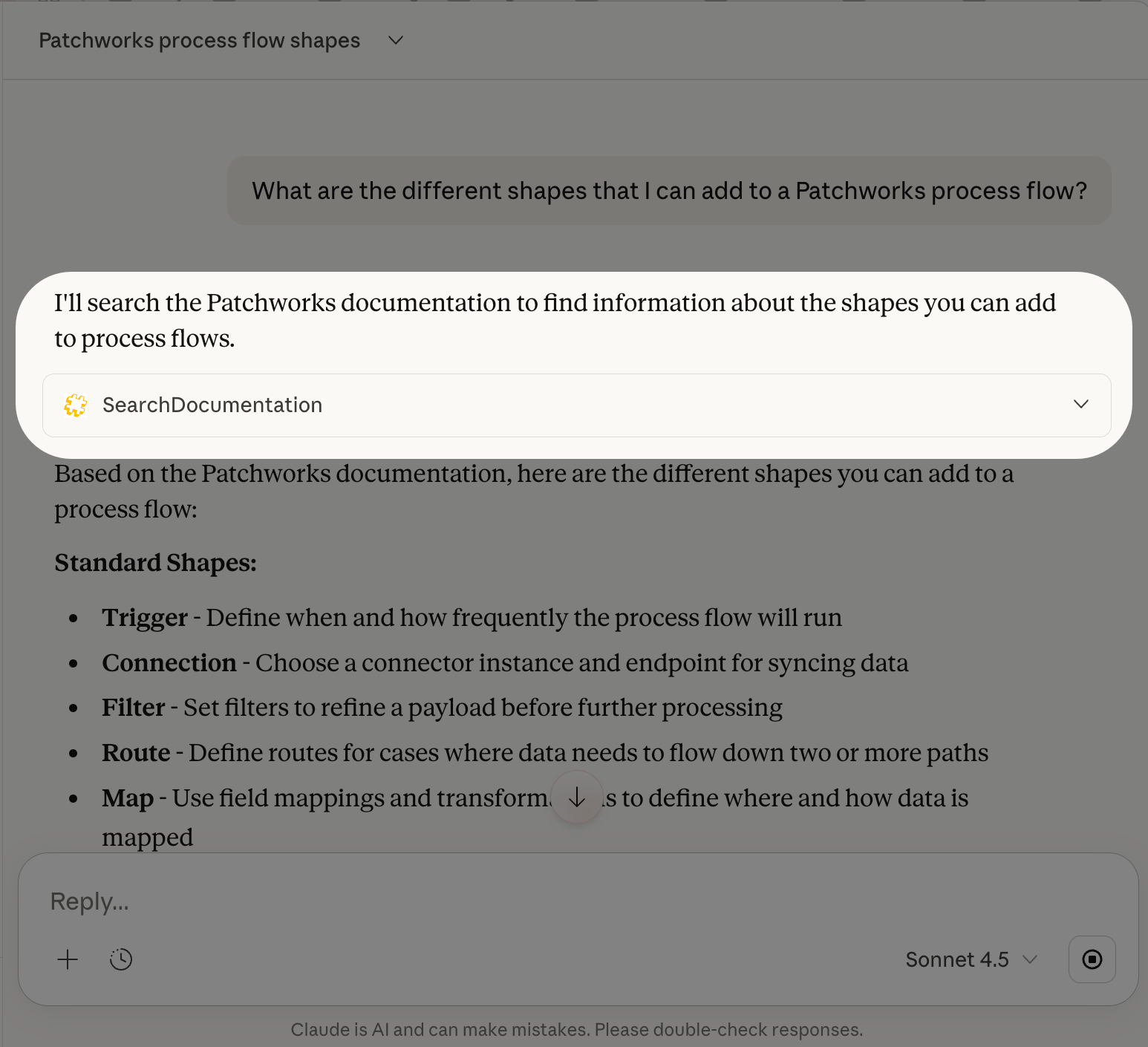
Start a new Claude chat and ask a Patchworks-related question. For example, *What are the different shapes that I can add to a Patchworks process flow?* The response should indicate that the connector was used - for example:
{% endstep %}
{% endstepper %}
## Integrating with Claude Code
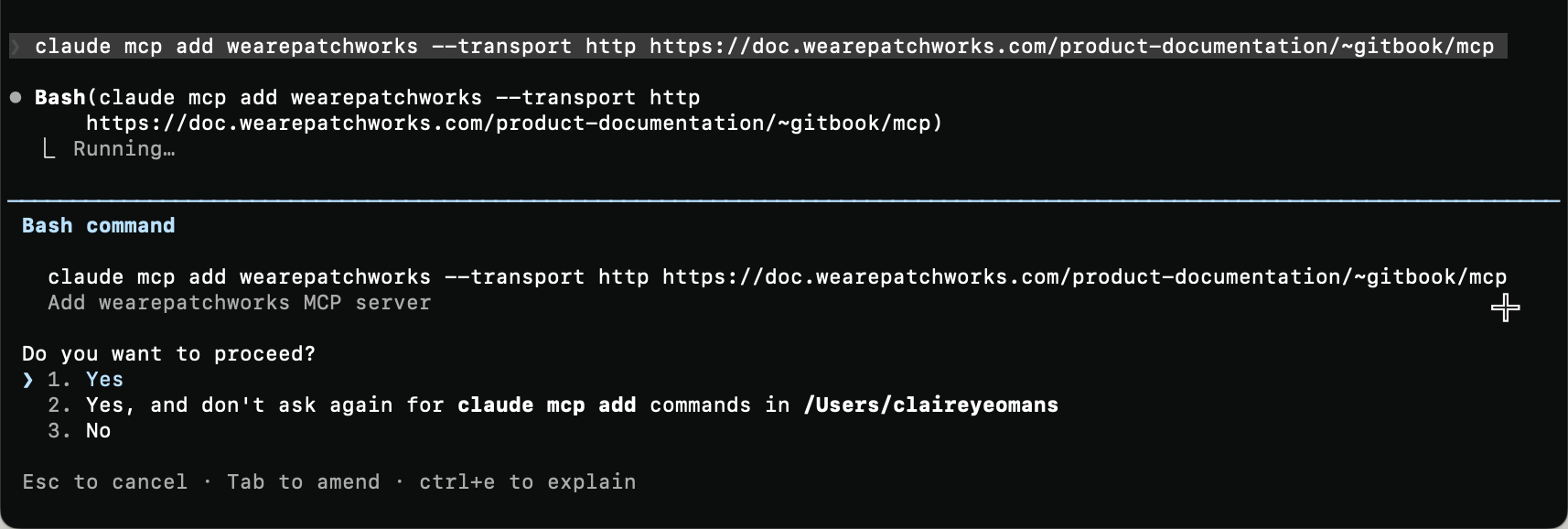
To add the Patchworks documentation MCP server to Claude Code, launch Claude Code and enter the following command:
{% code overflow="wrap" %}
```bash
claude mcp add wearepatchworks --transport http https://doc.wearepatchworks.com/product-documentation/~gitbook/mcp
```
{% endcode %}
For example: