> For the complete documentation index, see [llms.txt](https://doc.wearepatchworks.com/product-documentation/llms.txt). Markdown versions of documentation pages are available by appending `.md` to page URLs; this page is available as [Markdown](https://doc.wearepatchworks.com/product-documentation/process-flows/building-process-flows/process-flow-shapes/advanced-shapes/cache/load-from-cache-shape/what-cached-data-do-you-want-to-load/loading-a-single-item-from-a-dynamic-cache-key.md).
# Loading a single item from a dynamic cache key
## Introduction
This approach assumes that the cache to be loaded was [added with a payload variable for the cache key](/product-documentation/process-flows/building-process-flows/process-flow-shapes/advanced-shapes/cache/add-to-cache-shape/generating-dynamic-cache-keys-with-variables.md), and is comprised of multiple, single-record payloads (having been through a [flow control](/product-documentation/process-flows/building-process-flows/process-flow-shapes/standard-shapes/flow-control-shape.md) shape).
Each of these payloads has its own, unique `cache key` (when data was added to the cache, this key was generated dynamically by resolving a `cache key` payload variable).
{% hint style="info" %}
For more information about this stage, please see [Generating dynamic cache keys with payload variables](/product-documentation/process-flows/building-process-flows/process-flow-shapes/advanced-shapes/cache/add-to-cache-shape/generating-dynamic-cache-keys-with-variables.md).
{% endhint %}
When we come to load this data, we must target the required cache key. If you only want a single item, the quickest way is to specify the resolved cache key.
## How it works
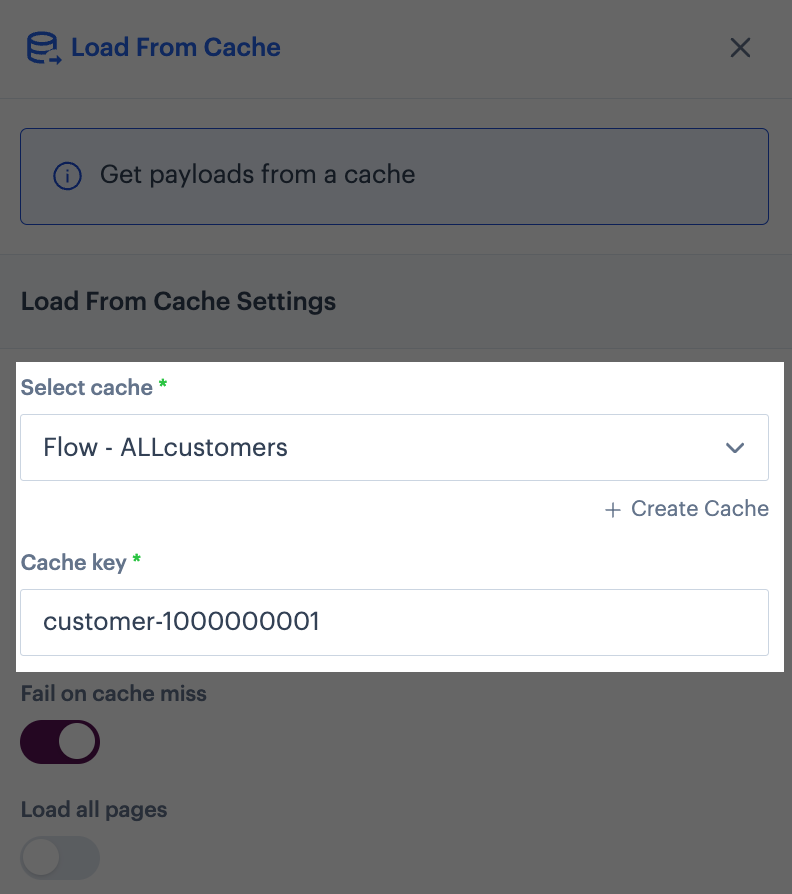
The [load from cache](/product-documentation/process-flows/building-process-flows/process-flow-shapes/advanced-shapes/cache/load-from-cache-shape.md) shape works as normal - you choose the `cache` and `cache key` to be loaded:
However, the important point to consider is that the `cache key` that you specify here will have been generated dynamically by resolving the payload variable that was specified [when the cache was added](/product-documentation/process-flows/building-process-flows/process-flow-shapes/advanced-shapes/cache/add-to-cache-shape/generating-dynamic-cache-keys-with-variables.md).
## Example
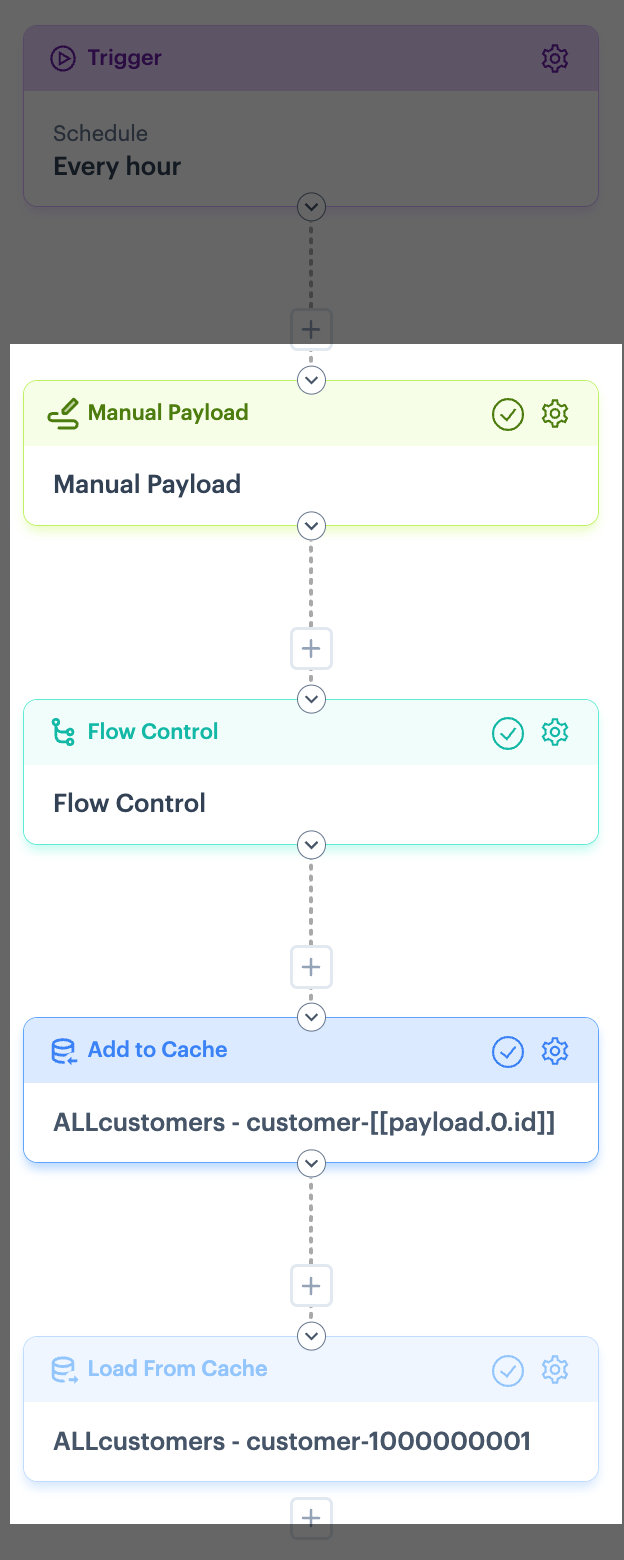
Consider the following process flow:
Here, our **manual payload** contains customer data as below:
{% code lineNumbers="true" %}
```json
[
{
"id": 1000000001,
"first_name": "Jane",
"last_name": "Smith",
"items": {
"itemref": "0000001",
"item1": "apples",
"item2": "oranges",
"item3": "pears"
}
},
{
"id": 1000000002,
"first_name": "George",
"last_name": "Jones",
"items": {
"itemref": "0000002",
"item1": "tangerines",
"item2": "peaches",
"item3": "grapes"
}
},
{
"id": 1000000003,
"first_name": "Bob",
"last_name": "Brown",
"items": {
"itemref": "0000003",
"item1": "nectarines",
"item2": "raspberries",
"item3": "strawberries"
}
},
{
"id": 1000000004,
"first_name": "Marjorie",
"last_name": "Simpson",
"items": {
"itemref": "0000004",
"item1": "blueberries",
"item2": "cranberries",
"item3": "apricots"
}
}
]
```
{% endcode %}
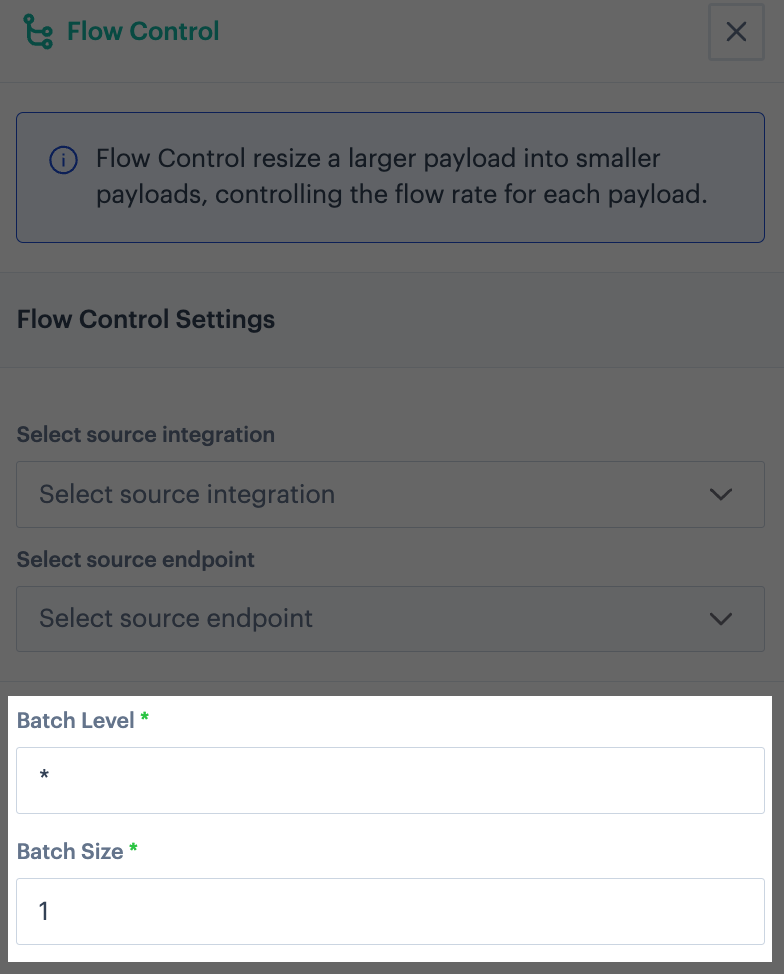
To allow us to target specific customer records from this payload, we send it through a **flow control** shape, which is set to creating one payload for customer:
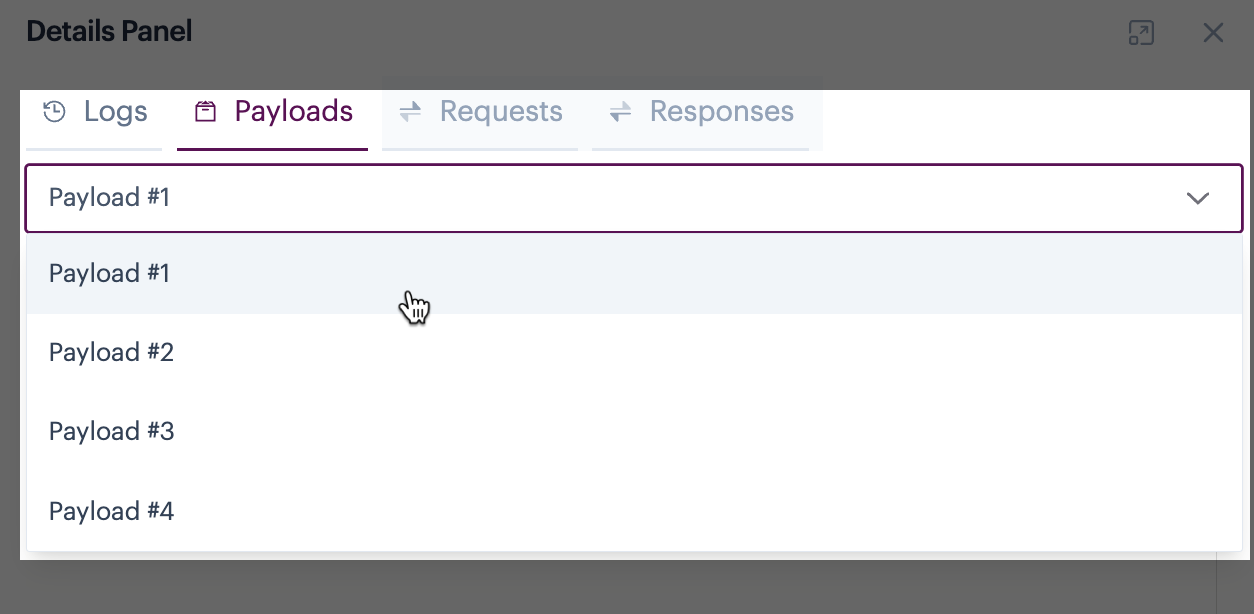
...so now we have lots of payloads to be cached:
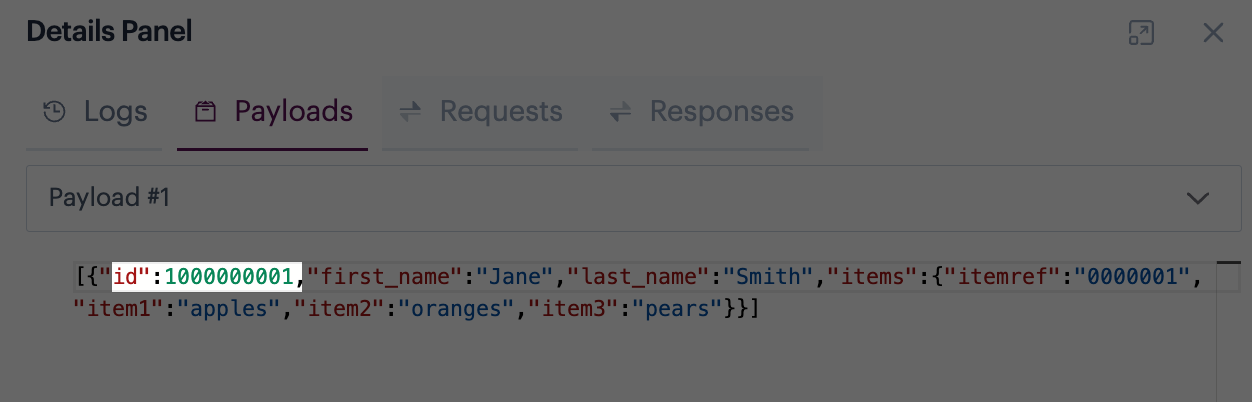
If we look at the payload for the first of these, we can see it contains a single customer record - notice that there's an `id` field with a value of `1000000001`. This field uniquely identifies each record.
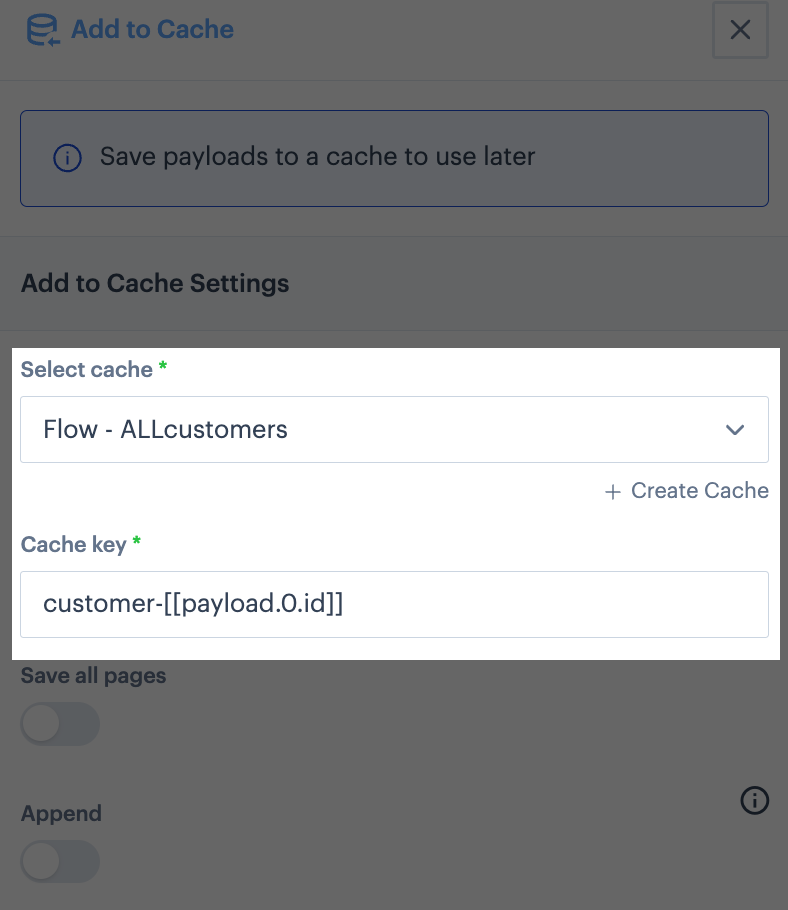
Next we define an **add to cache** shape - we create a new cache and use a payload variable to generate a dynamic cache key for each incoming payload:
Here, they payload variable is defined as:
```
customer-[[payload.0.id]]
```
where:
* `customer-` is static text to prefix the resolved variable.
* `[[payload.]]` instructs the shape that this variable should be resolved from the incoming payload.
* `0` denotes that the first occurrence of the following item found in the payload should be used to resolve this variable.
* `id` is the name of the field in the payload to be used to resolve this variable
So, if we take our first payload above:
...our payload variable would resolve to the following cache key:
```
customer-1000000001
```
This is what we use in our **load from cache** shape: