> For the complete documentation index, see [llms.txt](https://doc.wearepatchworks.com/product-documentation/llms.txt). Markdown versions of documentation pages are available by appending `.md` to page URLs; this page is available as [Markdown](https://doc.wearepatchworks.com/product-documentation/process-flows/building-process-flows/process-flow-shapes/advanced-shapes/cache/load-from-cache-shape/what-cached-data-do-you-want-to-load/loading-all-cached-data-from-a-static-cache-key.md).
# Loading all cached data from a static cache key
## Introduction
This approach is the simplest - all incoming data is cached with a static cache key.
## How it works
In the example below, all incoming customer records will be added to a cache named `ALLcustomers` and a static **cache key** named `customers`:
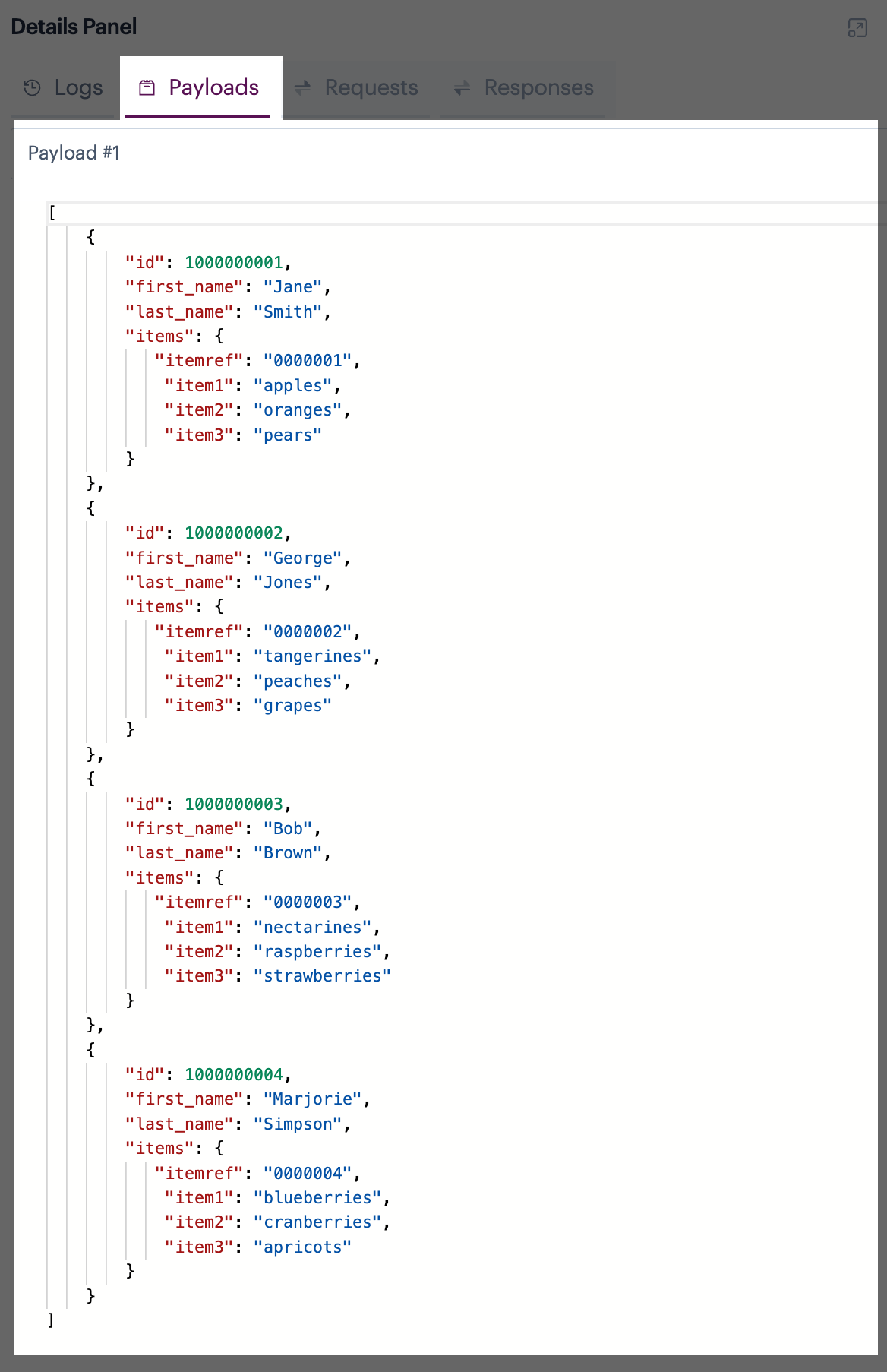
When the data is cached, it's likely that the cache will include multiple records - for example:
To retrieve this cache, we simply drop a **load from cache** shape where required in the process flow and specify the same **cache** and **cache key** that were defined in the corresponding **add to cache** shape:
## Load a single, targeted item from a dynamic cache key
This approach assumes The [load from cache](/product-documentation/process-flows/building-process-flows/process-flow-shapes/advanced-shapes/cache/load-from-cache-shape.md) shape works as normal to retrieve cached data where the cache was created with a payload variable - you choose the cache name and key to be loaded:
However, the important point to consider is that the **cache key** that you specify here will have been generated from the payload variable that was specified when the cache was created.
If a payload variable has been used to cache data, you would typically have included a [flow control shape](/product-documentation/process-flows/building-process-flows/process-flow-shapes/standard-shapes/flow-control-shape.md) to create multiple payloads - for example:
So you will have multiple cache keys that can be loaded. To do this, you can add one [load from cache](/product-documentation/process-flows/building-process-flows/process-flow-shapes/advanced-shapes/cache/load-from-cache-shape.md) shape for every `cache key` that you want to retrieve, specifying the required key in each case. For example:
Alternatively, you can add a single [load from cache](/product-documentation/process-flows/building-process-flows/process-flow-shapes/advanced-shapes/cache/load-from-cache-shape.md) shape and target specific cache keys by passing in the required ids.
## Load multiple, targeted items from a dynamic cache key