Using HMAC-verified webhooks
Introduction
HMAC (Hash-based Message Authentication Code) provides a higher level of security than the standard method for webhooks.
With a standard webhook, Patchworks is told: Here is some data. With an HMAC webhook, Patchworks is told: Here is some data, and here is proof that this data originates from the source and hasn't been changed.
How it works
HMAC uses a shared secret key to create a unique cryptographic signature for every individual message. This is achieved in four stages:
Preparation
Patchworks and your third-party system both know a secret key.
Signing
When your third-party system prepares to POST a webhook, it runs the message body through a hashing algorithm (SHA-256 or RIPEMD-128), using the secret key. This produces a signature.
Transmission
Your third-party system sends the data in the request body, and the signature, in an X-HMAC-HASH header.
Verification
When Patchworks receives the webhook, it takes the request body data and its own copy of your secret key and performs the same hashing calculation to verify that signatures match. If the signatures match, Patchworks knows the data is authentic and untampered. If they don't match, Patchworks rejects the request.
Configuring HMAC-verified webooks
If you are implementing HMAC webhooks, you will have your own (most likely automated) mechanisms to generate secret keys and HMAC signatures for your webhooks.
For demonstration purposes, the steps below show how to configure an HMAC webhook in Patchworks, using manual steps to produce the secret key and HMAC signature.
Add a webhook to the trigger shape & copy the URL
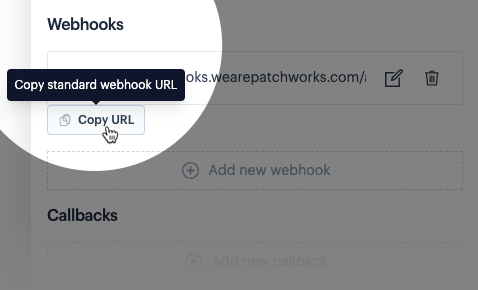
In your process flow, edit the trigger shape and add a webhook as usual, then copy the URL and save it somewhere safe - you'll need this later. For example:

Access webhook settings
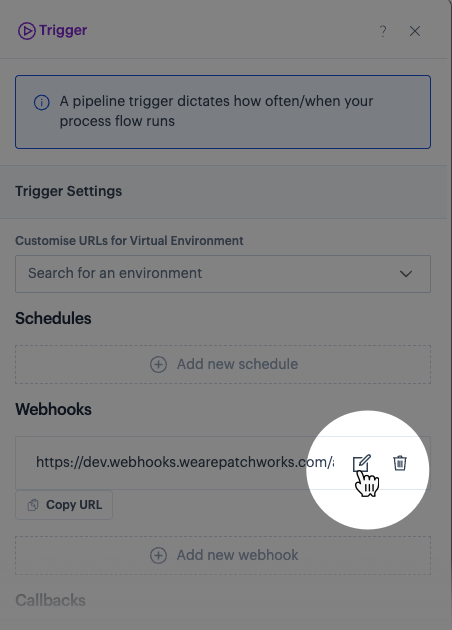
Click the edit icon associated with your webhook. For example:

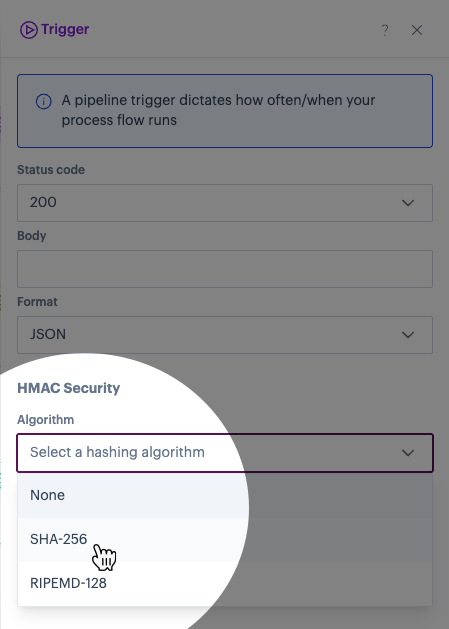
Select the HMAC algorithm to be used for hashing (SHA-256 or RIPEMD-128):

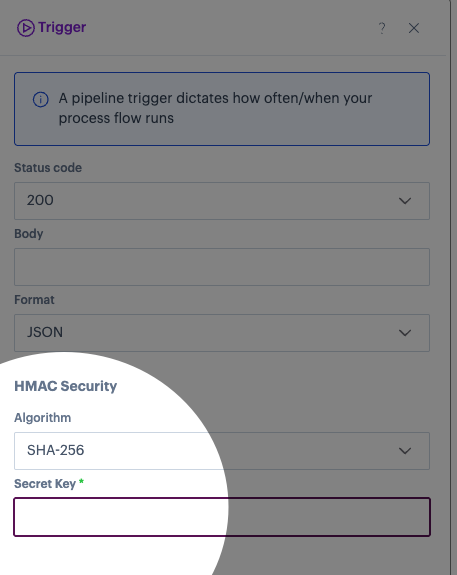
You'll notice that a secret key field is displayed. For example

Obtain a secret key
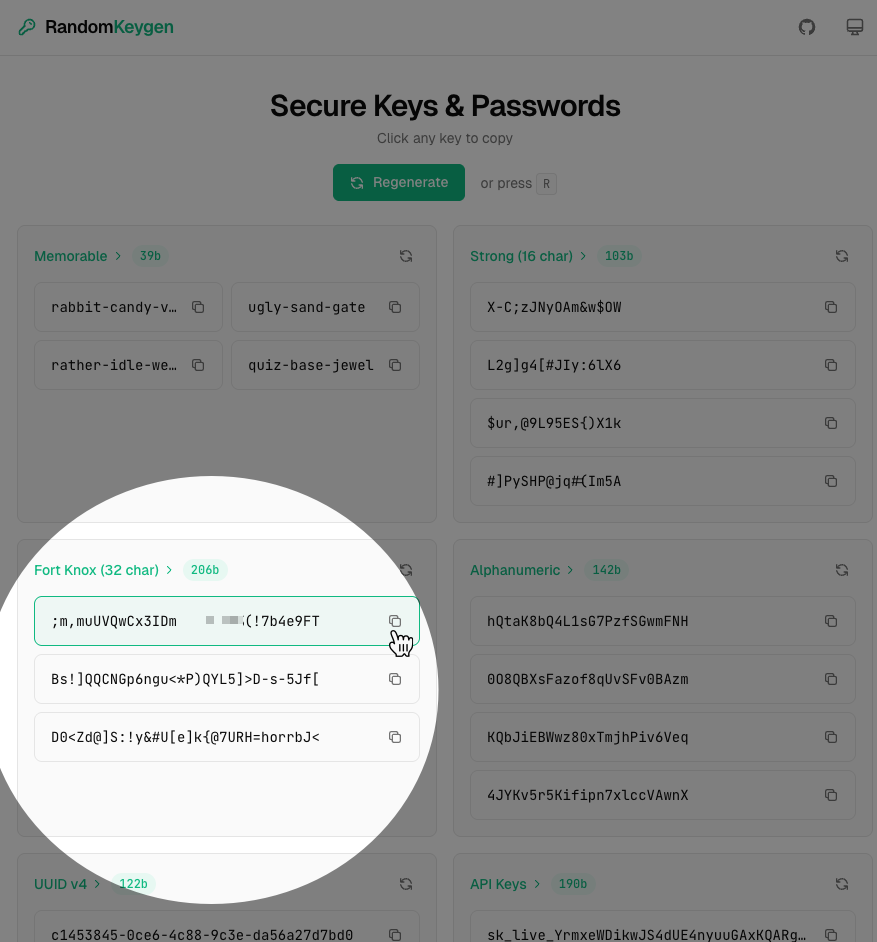
In a real-world use case, you will most likely have your own secret key ready to apply (and your own mechanisms for creating it). For this demonstration, we use a key generator website (RandomKeyGen) to generate a secret key. For example:

Apply the secret key to your trigger shape
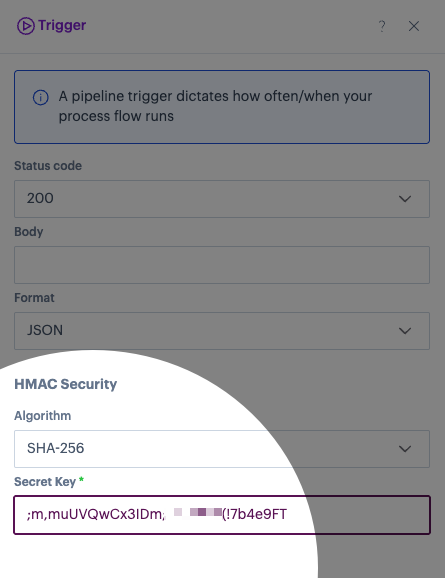
Switch back to your Patchworks trigger shape settings and paste your key into the secret key field. For example:

Save settings & deploy process flow
Save trigger shape settings, then deploy the process flow.
Generate a HMAC signature using the same secret key
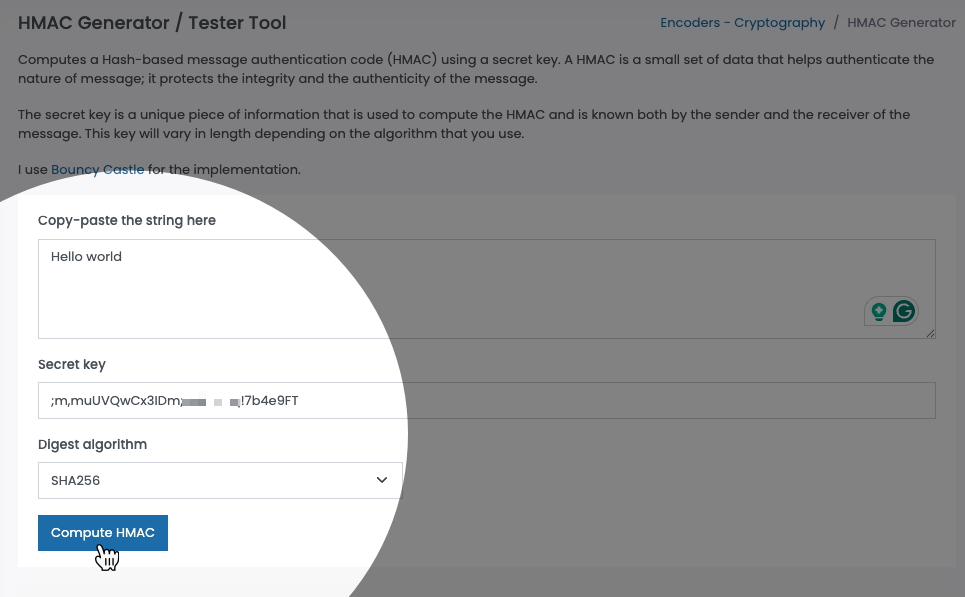
In a real-world use case, you will most likely have your own mechanism for generating an HMAC signature. For this demonstration, we use an HMAC generator website (FreeFormatter) to generate one. For example:

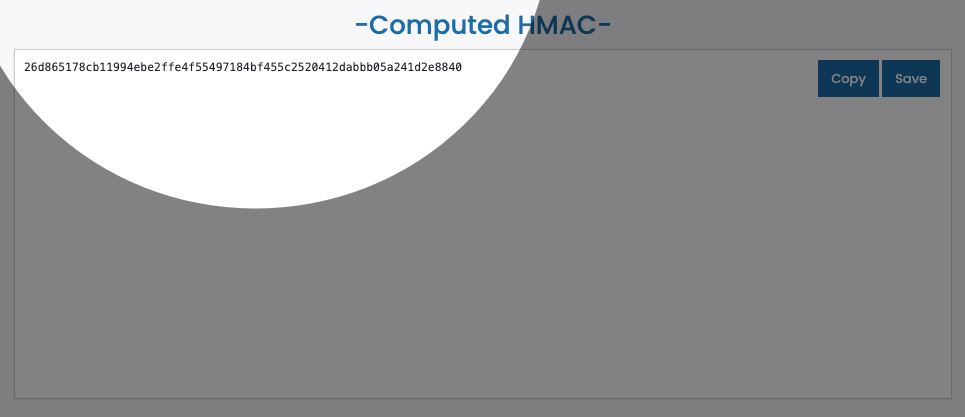
Here, we have pasted a sample payload and our secret key, and selected the required HMAC algorithm. This information is used to generate a signature. For example:

Copy this signature somewhere safe - you'll need it in the next step.
Send a test request to the webhook URL
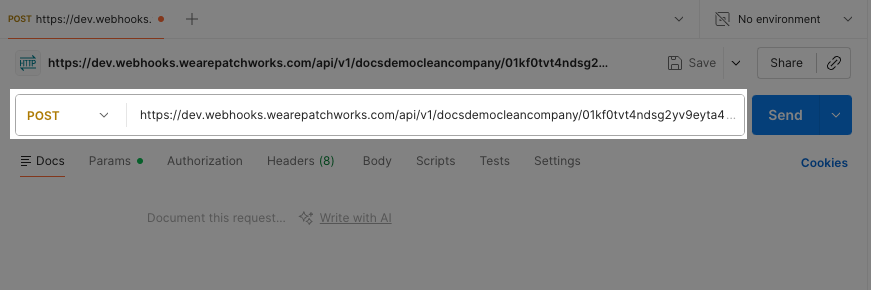
Use your preferred tool to create a new API request, for example, Postman. Create a new POST request to the webhook URL that you copied at the end of step 1. For example:

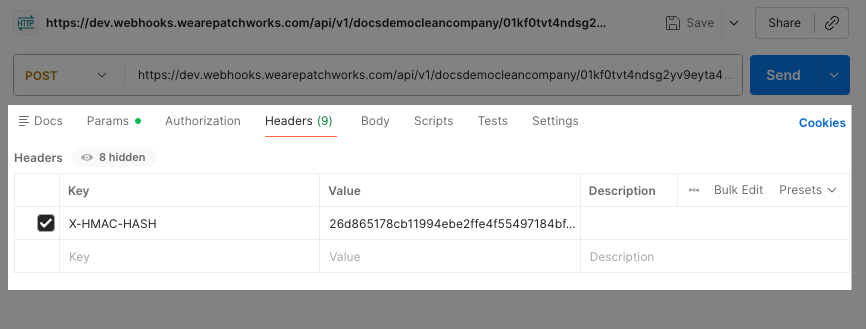
Access headers for the request, and add a key named X-HMAC-HASH. For the value, paste the signature copied at the end of step 7. For example:

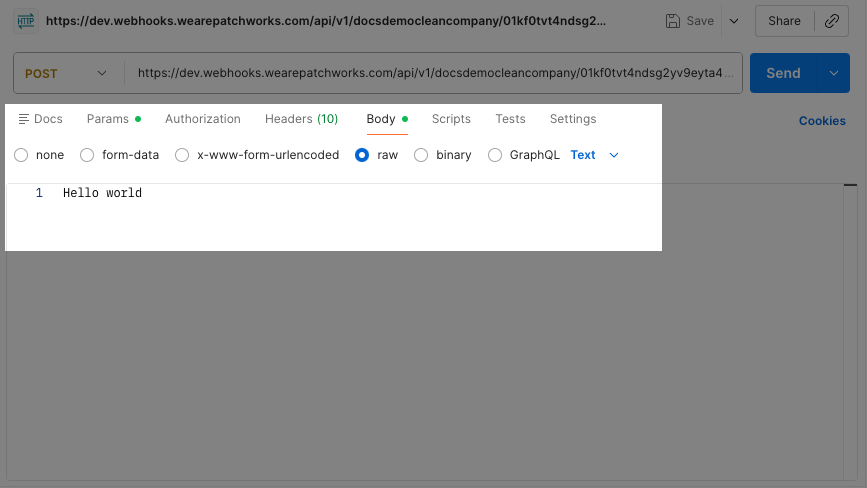
Access the request body and enter the same sample data that you used to generate the HMAC signature in step 7. For example:

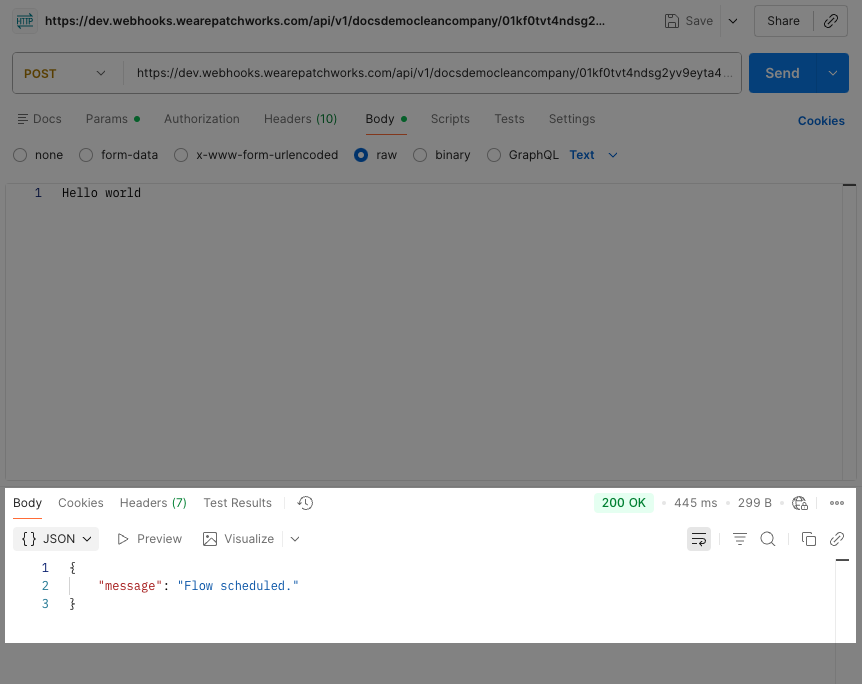
When you send this request, a successful outcome will indicate that the associated process flow has been scheduled. For example:

Last updated
Was this helpful?