> For the complete documentation index, see [llms.txt](https://doc.wearepatchworks.com/product-documentation/llms.txt). Markdown versions of documentation pages are available by appending `.md` to page URLs; this page is available as [Markdown](https://doc.wearepatchworks.com/product-documentation/virtual-environments/implementing-virtual-environments/configuring-a-virtual-environment-version/configuring-virtual-environment-replacements/replacement-variables.md).
# Replacement variables
## Introduction
Variables can be defined for an environment and then referenced throughout your process flow, using an [environment variable syntax](#environment-variable-syntax).
## Environment variable syntax
Environment variables are referenced using the following syntax:
```
{{environment.variables.your_variable_name}}
```
For example:
```
{{environment.variables.region}}
```
## Where can I reference environment variables?
Environment variables can be referenced throughout process flows - anywhere that you can reference [flow variables](/product-documentation/process-flows/building-process-flows/dynamic-variables/flow-variables.md), you can reference environment variables too.
## Defining environment variables
To define an environment variable, follow the steps below.
{% stepper %}
{% step %}
**Edit the configuration for the required virtual environment**
If you're not already editing the configuration for your virtual environment, [access it now](/product-documentation/virtual-environments/implementing-virtual-environments/configuring-a-virtual-environment-version.md#accessing-the-draft-version-for-a-new-virtual-environment).
{% endstep %}
{% step %}
**Access environment variables**
Select `environment variables` from the list of [replacements](/product-documentation/virtual-environments/implementing-virtual-environments/configuring-a-virtual-environment-version/configuring-virtual-environment-replacements.md):
{% endstep %}
{% step %}
**Create a new variable**
Click the `create` button:
{% endstep %}
{% step %}
**Configure the variable**
Configure variable settings and click the `create` button to confirm:
Options on this page are summarised below:
| Field | Summary |
| -------------------------- | --------------------------------------------------------------------------------------------------------------------------------------------------------------------------------------------------------------------------------------- |
| Name | The name (i.e. the *key*) to be used when referencing this variable. |
| Type | Select the expected data type for resolved variable values. |
| Value | If required, set a default value for this variable. |
| Fallback | Enter a value to be used if the variable cannot be resolved. |
| Is this variable a secret? | Toggle this option `on` if values entered for this field are sensitive. Secret variables are encrypted. Note that environment variables are never displayed in the dashboard, irrespective of whether or not they are marked as secret. |
| {% endstep %} | |
| {% endstepper %} | |
## Managing environment variables
If required, you can [update](#updating-an-existing-environment-variable) or [remove](#removing-an-existing-environment-variable) existing environment variables.
### Updating an existing environment variable
To change the settings for an existing environment variable, follow the steps below.
{% stepper %}
{% step %}
**Edit the required variable**
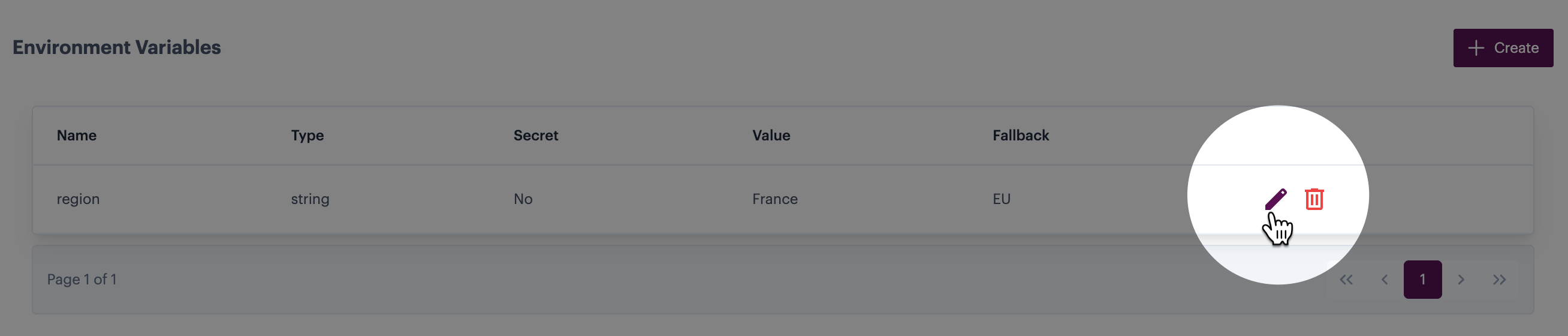
Click the `edit` icon associated with the environment variable you want to update - for example:
{% endstep %}
{% step %}
**Update settings**
Update variable settings as needed:
{% endstep %}
{% step %}
**Confirm changes**
Click the `update` button to confirm your changes:
{% endstep %}
{% endstepper %}
### Removing an existing environment variable
To remove an existing environment variable, click the `trash` icon associated with the environment variable you want to remove - for example:
The variable is removed immediately.